
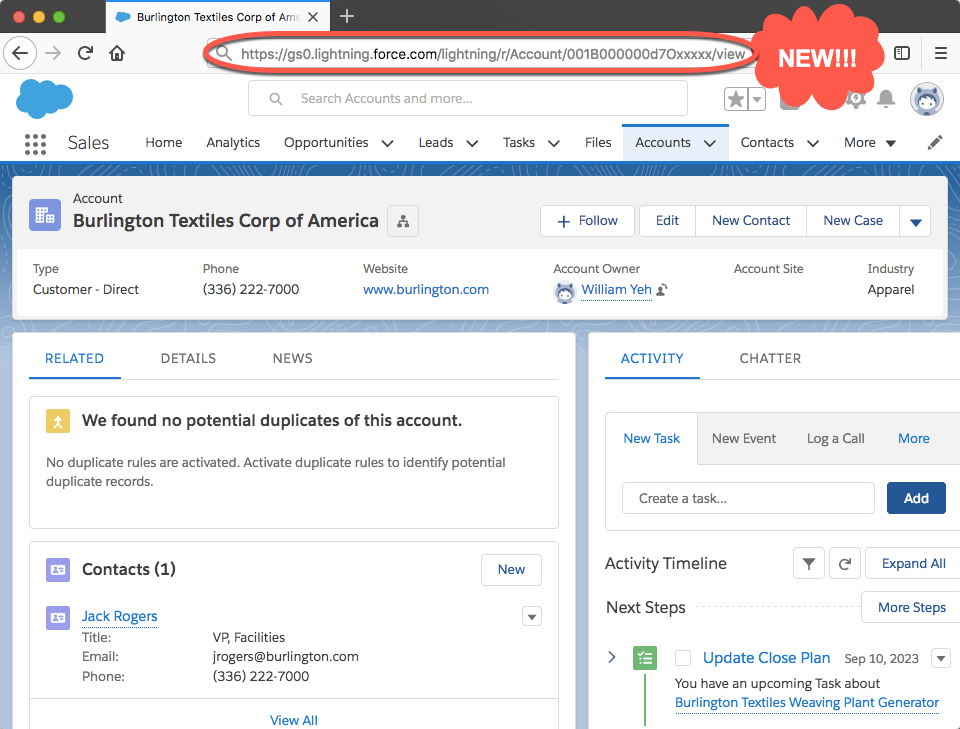
Ever find the URLs in Lightning difficult to understand? Did you sometimes find issues being redirected to the wrong place when accessing Lightning URLs before authenticating? In this blog post, we’ll talk about an all-new URL format for Lightning Experience and Salesforce Mobile. With this new format, those issues you used to face with URLs will be things of the past!
In Spring ‘18 we are providing a Critical Update Console (CRUC) setting to help you test the new URL format. When Summer ‘18 comes, the URL format will be enabled for all customers. If you’d like to revert back to the old format, you’ll need to log a case with our Support team to turn it off.
New Salesforce customer orgs created during Spring ’18 will be using this new URL format by default and you will need to log a case with Salesforce in order for the CRUC setting to be made available.
Critical Update Console:
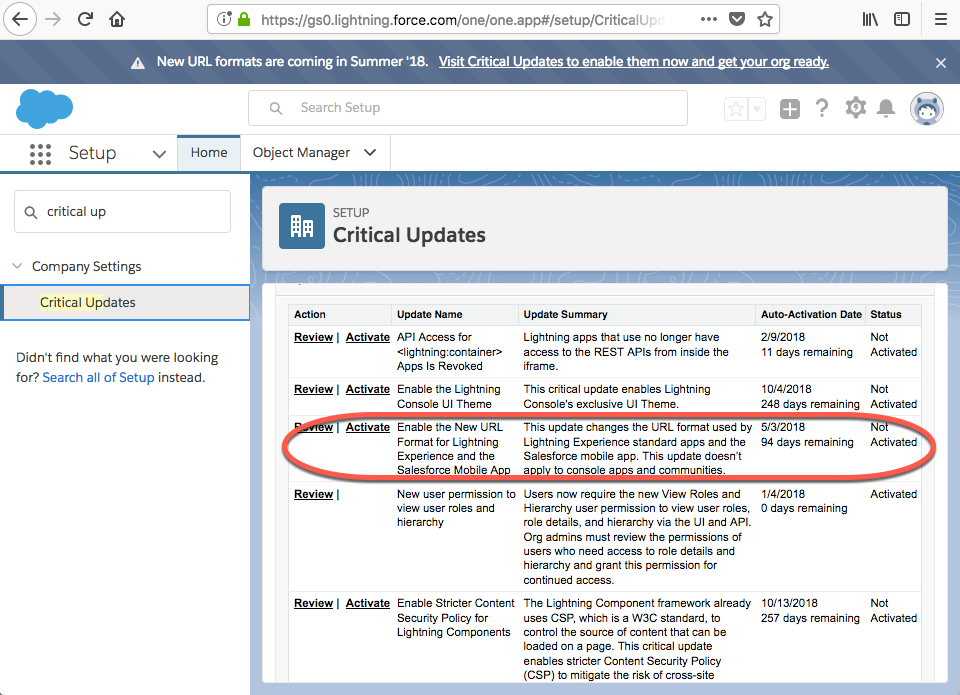
If you have yet to check them out, here are the release notes and the knowledge article about the new format.
Please note that Salesforce does NOT officially support our UI URLs. This means unlike public APIs, Salesforce UI URLs could be changed or replaced when needed. UI URLs, unlike SOAP endpoints, are not officially documented/supported.
So what’s the difference?
Example of new URLs
Original format: Account Home URL
https://<lightning.domain.com>/one/one.app/#/sObject/Account/home
New format: Account Home URL
https://<lightning.domain.com>/lightning/o/Account/home
Original format: Account Record View
https://<lightning.domain.com>/one/one.app#/sObject/<recordID>/view
New format: Account Record View
https://<lightning.domain.com>/lightning/r/Account/<recordID>/view
What should I look out for with this change?
URL parsing
Logic that parses URLs will likely break unless it is only pattern matching on, for example, 15 or 18-character object IDs. Custom or installed Lightning components that parse a URL may break or behave differently after this change, especially components with logic that relies on window.location or the aura:locationChange event.
Appending parameters in URL
If you have query string parameters appended to the original URL, they will be re-written differently when entered into a browser.
For example:
/one/one.app?myparam1=xyz&myparam2=abc
Will be rewritten as
/lightning?0.myparam1=xyz&0.myparam2=abc.
aura:locationChange
Unfortunately aura:locationChange event is only fired when the hash part of the URL has changed. Since we no longer have URL hash in the new URL format, there will be no events fired.
Safe Harbor: We are looking into a different approach to detect URL changes.
What will not be affected by this change?
Reports
Filter Reports via URL Parameters in Lightning Experience will continue to work as it is supported by the Reports functionality. More details can be found in the Spring ’17 Release Notes.
Console
Console URLs will not be affected by this change for Spring release. The Console team will have more updates come Summer ‘18.
Communities
Communities URLs will not be affected by this change for Spring release.
Saved URLs
The existing URLs will work for the foreseeable future. Links that you’ve saved or have in emails will be translated into the new enhanced URL format when they’re executed. If you have the enhanced URL format enabled for your org, that format is what you see in the browser address bar.
The new URL format for Lightning is almost here, and we believe this will pave the path to a better quality of life for our end users. We recommend that you enable this critical update in a Sandbox first to test it and make necessary adjustments before the new URLs go live for everyone. Feel free to comment any questions below or tweet me @wwilliam89.
To learn more and refresh on your Lightning knowledge, check out the Lightning Experience Basics and Lightning Experience Features modules on Trailhead.