B2C Commerce developers juggle multiple code deployments, sandbox provisioning, content delivery network (CDN) configuration, Managed Runtime bundles, and more — often across multiple portals and ad hoc scripts. Setting up new environments has historically been slow and error-prone.
Today, we’re announcing two tools that change this. B2C Developer Tooling is an open-source project that|includes a command-line interface (CLI) and a software development kit (SDK) for the entire B2C platform. On-demand sandbox cloning is a new platform capability that lets you create exact replicas of existing sandboxes in minutes. This post covers what the tooling includes, how sandbox cloning works, and how you can get started today.
B2C Developer Tooling: A single CLI for the entire platform
B2C Developer Tooling is an open-source, Apache 2.0–licensed, Salesforce-supported set of packages purpose-built for B2C Commerce developers and admins. We publish three Node.js packages: the CLI (@salesforce/b2c-cli), a reusable SDK (@salesforce/b2c-tooling-sdk), and agent skills for AI-assisted development.
The CLI is built on oclif — the same framework behind the Salesforce sf CLI and Heroku CLI — and provides 200+ commands across 20+ topic areas. That includes code deployment, sandbox management, Managed Runtime, embedded CDN (eCDN) configuration, Shopper Login and API Access Service (SLAS), Custom Salesforce Commerce API (SCAPI) endpoints, Account Manager administration, and more. Whether you’re pushing cartridges with b2c code deploy, tailing Managed Runtime (MRT) logs, or configuring Web Application Firewall (WAF) rules on your eCDN zone — we’ve consolidated it into one tool.
The source code lives on GitHub at the B2C Developer Tooling repository.
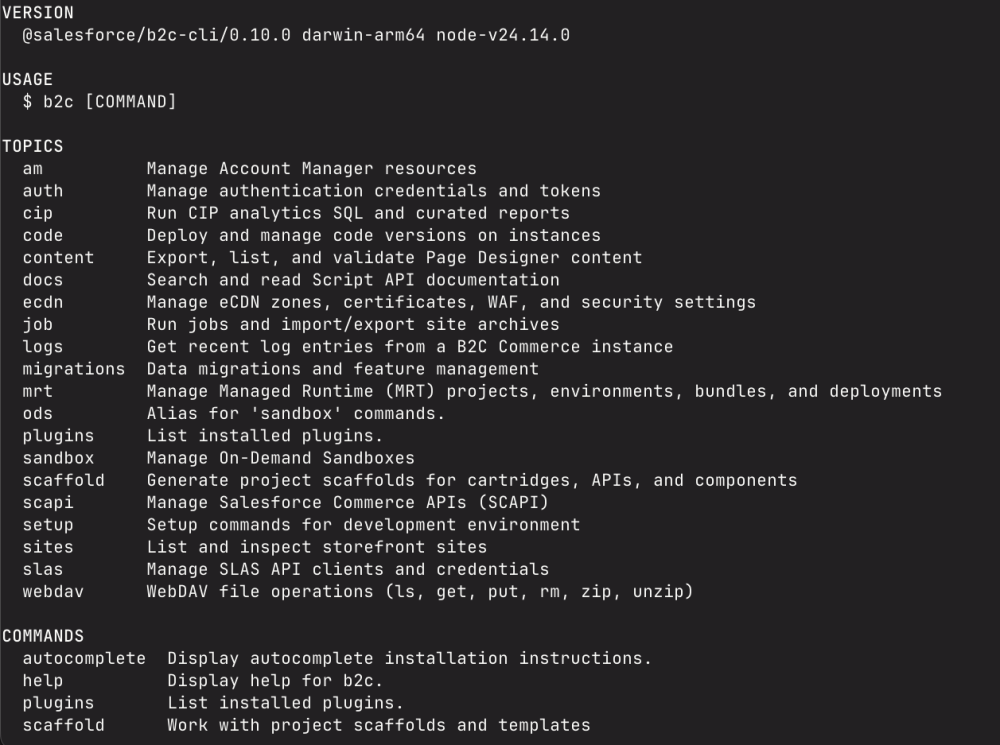
Built for the modern platform
We built the tooling SCAPI-first, using Salesforce Commerce APIs wherever available and falling back to the Open Commerce API (OCAPI) only where needed. Authentication is zero-config for most commands — a built-in public OAuth client and browser-based login flow means you can start working without creating API credentials.
For continuous integration (CI) and automation, the CLI is backwards-compatible with sfcc-ci conventions and environment variables, so you can adopt it alongside your existing setup. If you use sfcc-ci, consider updating your CI/continuous delivery (CD) systems to stay up-to-date with the latest platform changes and deprecations. Structured logging with automatic redaction of secrets keeps your pipelines clean and your credentials safe.
Developer velocity
We designed the CLI to keep you moving. Generate new cartridges, controllers, hooks, custom APIs, job steps, and Page Designer components from built-in scaffolds with b2c scaffold generate. Pull instance logs directly from the command line with b2c logs get — and filter by type, level, or time range without navigating WebDAV. For MRT storefronts, b2c mrt tail-logs streams environment logs in real time.
Official GitHub Actions
We provide official GitHub Actions for automating B2C Commerce operations in your CI/CD pipelines. High-level composite actions cover the most common workflows — code deployment, data import, MRT deployment, and job execution — while a raw command passthrough handles everything else. The actions manage CLI installation, credential configuration, and caching automatically. These are fully transparent composite actions defined in YAML, with no compiled JavaScript. See the CI/CD guide for details.
Spotlight: On-Demand Sandbox Cloning
Starting with the 26.3 release, we’re introducing On-Demand Sandbox Cloning — the ability to create exact replicas of existing sandboxes with the same data, configurations, and application code. This is a platform-level capability available through the Control Center UI and the B2C CLI from day one.
Why this matters: environment setup that previously took hours of manual configuration can now be completed in minutes. Need a fresh environment for testing a release? Clone your staging sandbox. Want to reproduce a production issue safely? Clone the relevant environment and investigate in isolation. Each clone is fully independent, so changes in one never affect the other.
Key benefits:
- ~75% faster environment setup, based on internal testing comparing traditional import/export (data import, code deployment, site configuration) to a single clone command
- Exact replicas — data, site configuration, and code version all carry over
- Fully isolated — each clone is an independent sandbox with its own lifecycle
All of this leads to faster, less error-prone test and development cycles.
When using the cloning feature, you’ll likely still need to update certain environment-specific configurations. Site preferences, aliases, hybrid SLAS configuration settings, and any instances of the tenant identifier of the environment are not automatically updated and should be set with a post-clone data import.
Cloning with the CLI
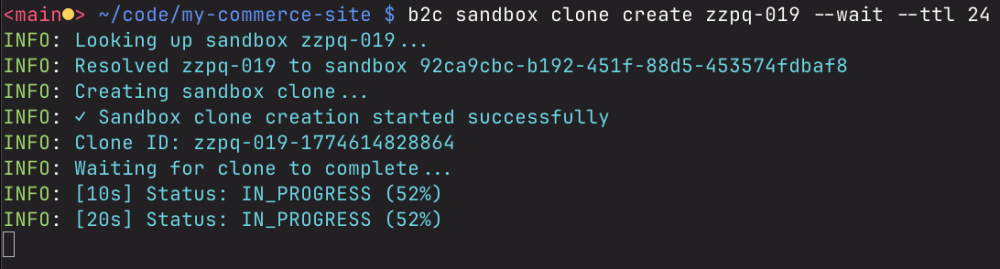
The CLI provides full support for creating and managing clones:
1# Create a clone and wait for it to complete
2b2c sandbox clone create zzzv-123 --wait
3
4# List all clones for a sandbox
5b2c sandbox clone list zzzv-123
6
7# Get detailed status of a specific clone
8b2c sandbox clone get zzzv-123 aaaa-002-1642780893121
You can optionally specify a --target-profile (medium, large, xlarge, xxlarge) and --ttl to control the clone’s resource size and lifetime. The source sandbox is automatically stopped during cloning to ensure data integrity.
Teach your coding agent B2C Commerce
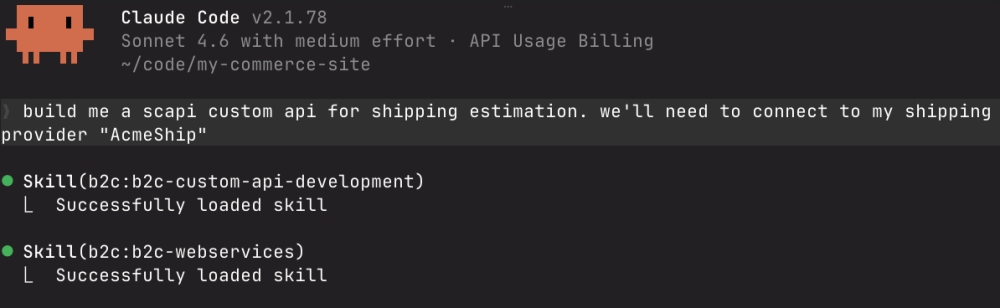
B2C Developer Tooling includes two sets of agent skills designed for AI coding agents:
- b2c-cli — 16 skills covering CLI operations like code deployment, sandbox management, MRT, and eCDN configuration. These teach your coding agent how to use the CLI on your behalf.
- b2c — 18 skills teaching B2C development patterns including controllers, hooks, Custom APIs, Page Designer components, forms, and more. These give your coding agent deep knowledge of B2C-specific architecture and best practices — not just CLI syntax.
The skills work with Claude Code, Cursor, GitHub Copilot, VS Code, Windsurf, and any tool that supports the agent skills format. Install them from the Agent Skills marketplace, through the Skills CLI, or by running b2c setup skills.
The CLI also includes a safety mode that prevents accidental destructive operations, which is particularly important when exposing the CLI as a tool to coding agents. You can set the safety level to NO_DELETE, NO_UPDATE, or READ_ONLY to control what operations are allowed.
Model Context Protocol (MCP) Server
For deeper integration, we also ship an MCP server (@salesforce/b2c-dx-mcp) that gives coding agents direct access to platform tools. It includes tools for managing cartridges, working with MRT environments, and scaffolding Custom SCAPI endpoints. It also supports building storefront-next components with Figma-to-component generation, Page Designer decorators, and site theming. Connect it to any MCP-compatible coding agent for a richer development experience.
Extend with plugins and build with the SDK
The CLI supports an oclif-based plugin system for adding custom commands, and exposes hook points for integrating with external credential stores, modifying API requests, and customizing deployment workflows. Community plugins already exist for IntelliJ configuration, Keychain credential storage, and more.
For custom integrations, the SDK (@salesforce/b2c-tooling-sdk) exposes all core functions as a reusable Node.js library — build your own tools on top of the same APIs that the CLI uses. The CLI also supports shell autocomplete for bash, zsh, fish, and PowerShell.
Conclusion
Between a unified CLI covering the full B2C platform and the ability to clone sandboxes in minutes, we’re making it significantly easier for you to develop, test, and ship on Commerce Cloud. Install the CLI today with npm, try cloning a sandbox, and let us know what you think. Your feedback directly shapes what we build next.
Node.js 22 or later is required. To install agent skills for your coding agent, run b2c setup skills. We welcome feedback and contributions through GitHub Issues.
Resources
- B2C Developer Tooling documentation
- B2C Developer Tooling on GitHub
- Agent Skills guide
- CI/CD with GitHub Actions
- sfcc-ci migration guide
About the author
Charles Lavery is a Principal Member of Technical Staff at Salesforce specializing in developer tooling and APIs.