Quick Start: Run Your First Query
Let’s write a basic query for SQL for CRM Analytics in Analytics Studio.
-
In CRM Analytics Studio, open a Lens on a dataset.
-
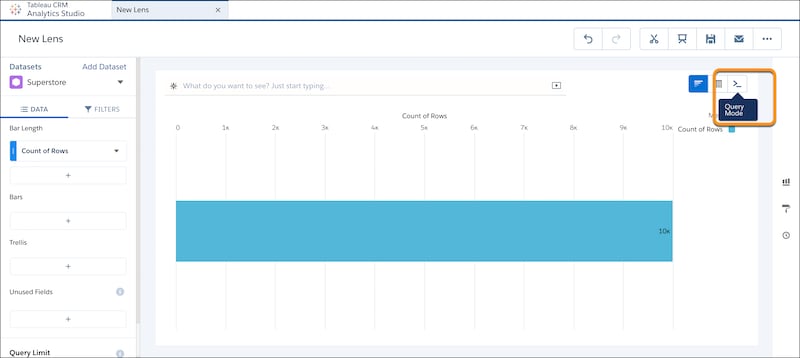
Click the Query Mode button.
-
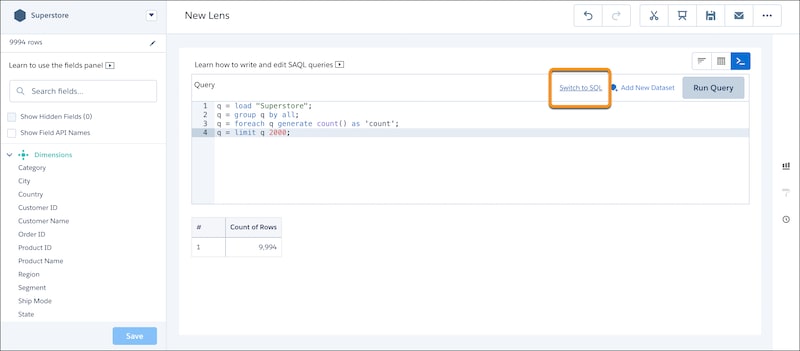
SAQL is the default query language. To use SQL, click Switch to SQL.
-
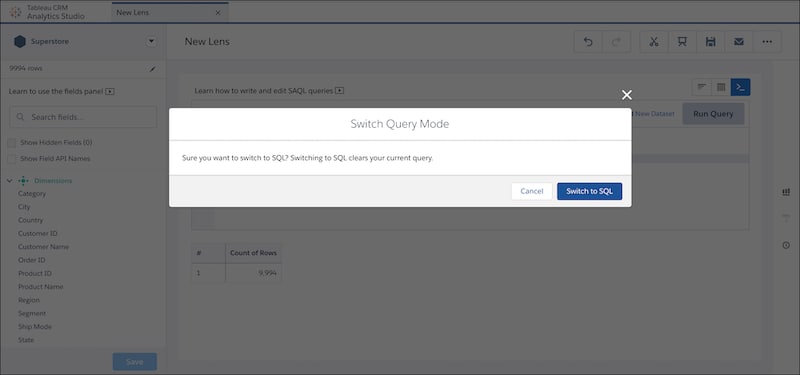
Switching to SQL provides a warning that switching clears your current query. If you don’t want to lose the SAQL query, copy it. Then click Switch to SQL.
To return to SAQL query language, click the Chart Mode button, then click the Query Mode button. If you return to SAQL, you lose any SQL query changes that you made.
-
The default query for SQL is the row count in your dataset. Let’s update the query to count the number of times a category occurs for each city. To run the query, click the Run Query button. Because we limit the results to 10 rows, the results display the first 10 cities in the furniture category.
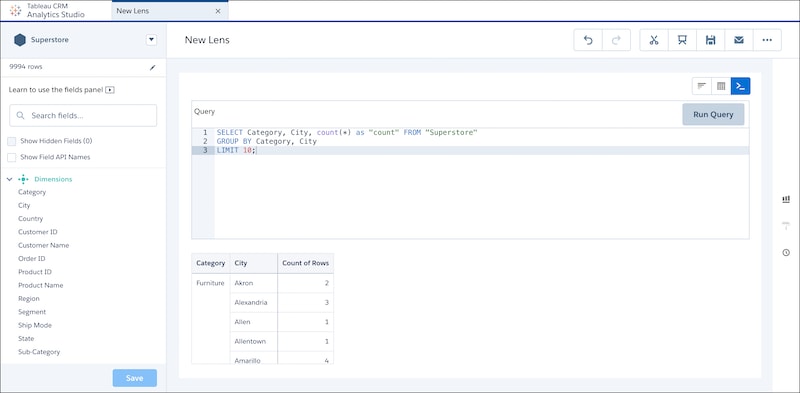
Category City count Furniture Akron 2 Alexandria 3 Allen 1 Allentown 1 Amarillo 4 Anaheim 8 Andover 1 Apopka 1 Apple Valley 2 Arlington 13