# Invoke Code Extension by Creating a Batch Data Transform
Invoke your code extension by creating a batch data transform that uses your deployed custom script.
| Edition Table |
| ------------------------------------------------------------------------------------------------------------------------------------------------------------------------------------------------------------- |
| Available in: **Developer**, **Enterprise**, **Performance**, and **Unlimited** Editions. See [Data 360 edition availability](https://help.salesforce.com/s/articleView?id=sf.c360_a_dc_editions.htm&type=5). |
| User Permissions Needed | |
| ------------------------------------------------------------ | ---------------------------------------------------------------------------------------------------------------------------------------------------------------------- |
| To invoke code extension by creating a batch data transform: | Permission set: Permission: - Create, Read, Update, and Delete on Data Custom Code Procedure Definitions object
|
## Prerequisites
- [Deploy a Custom Script to Data 360 Sandbox by Using UI](/docs/data/data-cloud-code-ext/guide/deploy-custom-code.md).
## Steps to Invoke Code Extension by Creating a Batch Data Transform
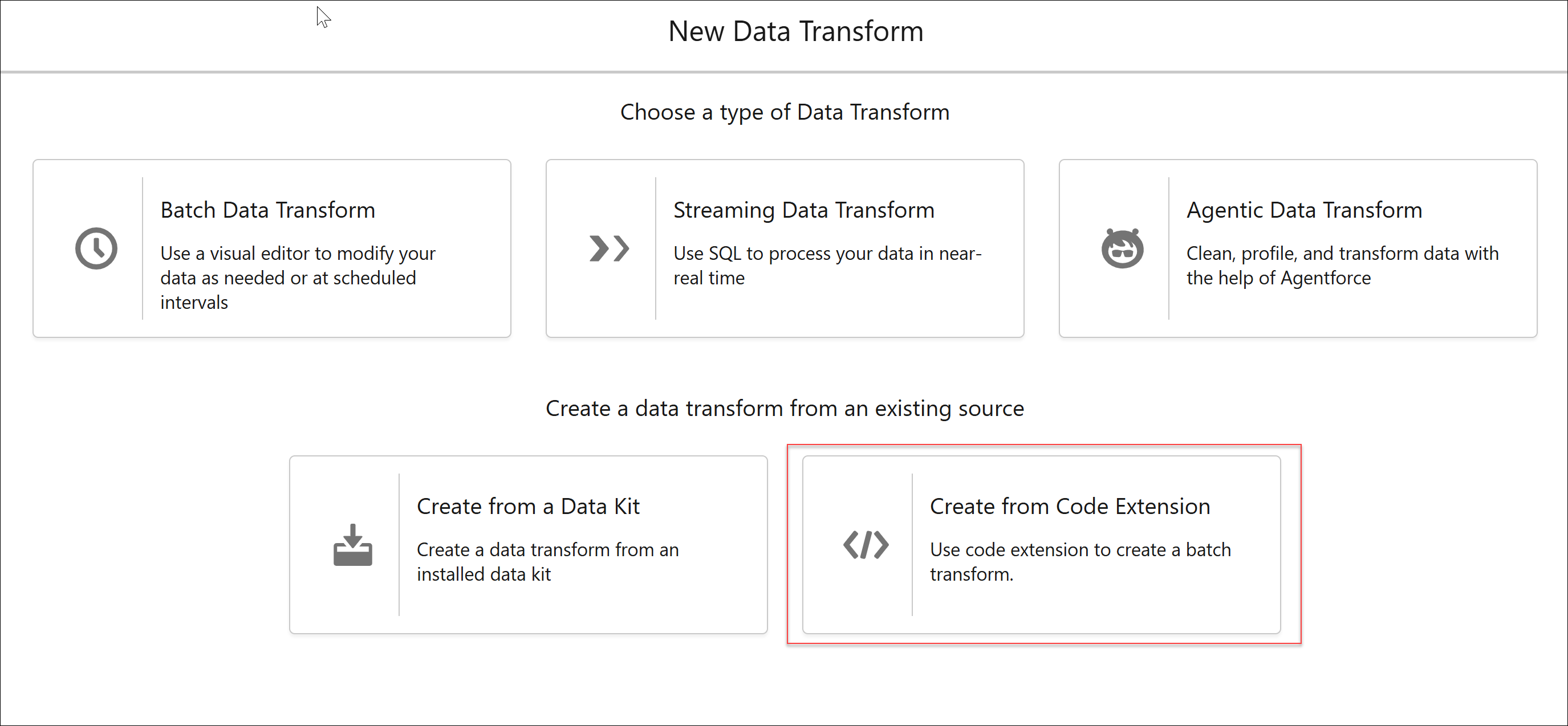
1. In Data 360, on the Data Transforms tab, click **New**.
If the Data Transforms tab isn’t visible, click **More** and select **Data Transforms**.
2. Select **Create From Code Extension**, and click **Next**.
3. Enter these details.
- **Data Transform Name:**
A name for your batch transform.
- **Data Transform API Name:**
The API name can contain only underscores and alphanumeric characters. It must be unique, begin with a letter, and be no more than 40 characters. The name can’t include spaces, end with an underscore, or contain two consecutive underscores.
4. Select a code extension from the list of code extensions deployed in your org, and then save.
If the code extension list is long, search for your code by name and select the code.
## Next Step
- [Run Code Extension by Running a Batch Data Transform](/docs/data/data-cloud-code-ext/guide/invoke.md)