


 j
jLanguage Characteristics
Agent Script Blocks
Specify Different Models
Flow of Control
Manage Agents
Download Documentation
Examples
Get to know the language for building agents in Agentforce Builder. Use Agent Script to build predictable, context-aware agent workflows that don’t rely solely on interpretation by an LLM.
Beginning in April 2026, agent topics are now called subagents. There are no changes to functionality. During this transition, you may see a mix of the new and previous terms in our documentation
Note
To get hands-on with Agent Script, Create an Agent, then select Script from the view picker. Or, author an agent with Agentforce DX.
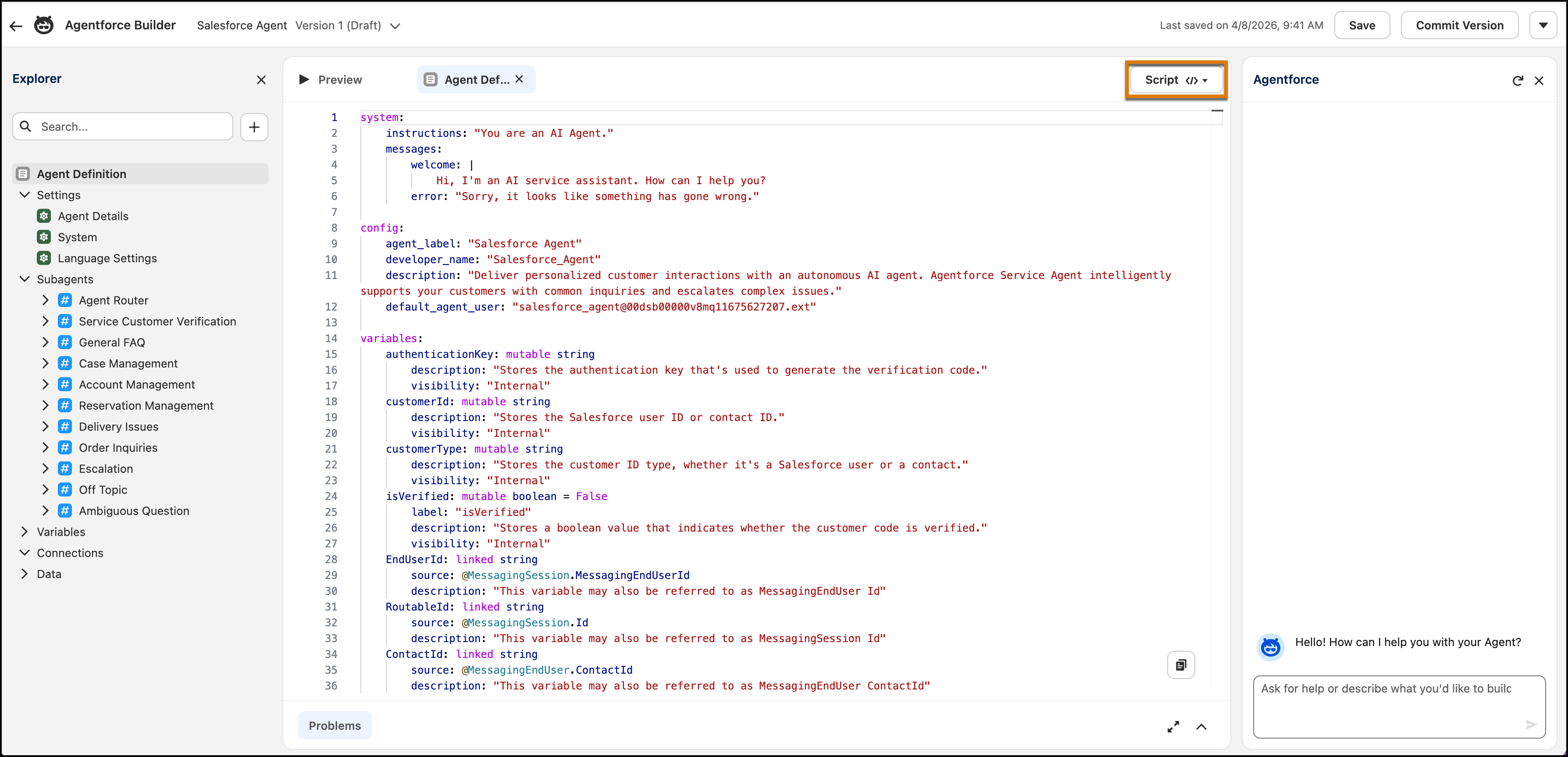
Agent Script is the language for building agents in Agentforce Builder. Script combines the flexibility of natural language instructions for handling conversational tasks with the reliability of programmatic expressions for handling business rules. In script, you use expressions to define if/else conditions, transitions, and other logic; set, modify, and compare variables; and select subagents and actions. You can build predictable, context-aware agent workflows that don’t rely solely on interpretation by an LLM. For example, you can use script to control when your agent transitions from one subagent to another or when actions are run in a particular sequence (sometimes called action chaining).
Agentforce Builder gives you several ways to write Agent Script.
/ to add expressions for common patterns (for example, if/else conditionals) and @ to add resources (subagents, actions, and variables).Developers can also use Agentforce DX to generate or retrieve a script file into their local Salesforce DX project and then work with it in Visual Studio Code. The Agentforce DX VS Code Extension fully supports the Agent Script language with standard code editing features. See Agentforce DX for more details.
Agent Script preserves the conversational skills and complex reasoning ability derived from natural language prompts, and it adds the determinism of programmatic instructions. For example, in Agent Script, you can define:
is_member variable. Or you can deterministically specify which action to run based on the value of the appointment_type variable. See Conditional Expressions.Here’s a simple example of what Agent Script looks like.
1system:
2    instructions: "You are a friendly and empathetic agent that helps customers with their questions."
3    messages:
4        error: "Sorry, something went wrong."
5        welcome: "Hello! How are you feeling today?"
6
7config:
8    agent_name: "HelloWorldBot"
9
10access:
11    default_agent_user: "agent_user1@mycompanyname.com"
12
13language:
14    default_locale: "en_US"
15    additional_locales: ""
16
17variables:
18    isPremiumUser: mutable boolean = False
19        description: "Indicates whether the user is a premium user."
20
21start_agent hello_world:
22    description: "Respond to the user."
23    reasoning:
24        instructions: ->
25            if @variables.isPremiumUser:
26                | ask the user if they want to redeem their Premium points
27            else:
28                | ask the user if they want to upgrade to Premium service
Among other compelling features, you can see in the above reasoning instructions that you can specify conditional logic (after the ->) alongside LLM prompts (after the |). This combination gives you the advantages of predictable, deterministic logic, alongside the power of LLM reasoning.
Want to build Agent Script agents using an agent skill or with Agentforce Vibes? Check out these resources!
To learn how to build agents in Canvas view or by chatting with Agentforce, see Build Enterprise-Ready Agents with the New Agentforce Builder in Salesforce Help.
To learn more about Agent Script, review these topics.
j