


Arrays
Certain properties can be declared as an array, allowing the input to be multi-select. Doing so returns all selected values within an array.
| Property Type | Supported As Array |
|---|---|
| boolean | No |
| string | Yes |
| number | Yes |
| Color | No |
| Complex Object | Yes |
| Select | Yes |
| Typed List | No |
Simple Types
Simple types can be put into multi-value arrays by simply making them arrays.
1names: string[];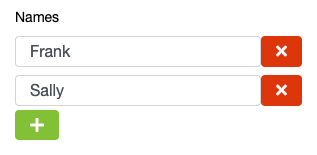
String literal types can also be used as multi-value to provide the end user with a set of options of which multiple can be selected.
1names: ("Alpha"|"Beta"|"Gamma"|"Delta")[];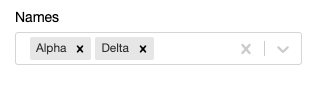
Arrays of Complex Objects
Configurations can also be arrays of complex objects. You can use these arrays to permit the user to create a list of configured objects. When used in combination with the @tabular decorator, it is possible to create table structured inputs.
1export class LTVBands {
2  label: string;
3  minimumLtv: number;
4}
5
6export class LifecyclesLifecycle implements GearLifecycle {
7  @tabular()
8  valueBands: LTVBands[];
9}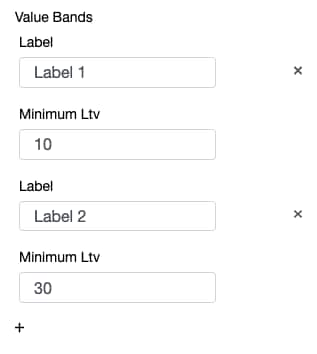
 j
j