


 j
jDID THIS ARTICLE SOLVE YOUR ISSUE?
Let us know so we can improve!
Let us know so we can improve!
This section describes the keywords available and the default editor and renderer associated with each of the Lightning types.
The default editor and renderer examples in this section display the default interface for the Agentforce Employee agent in Lightning Experience. Component rendering varies by deployment target. For mobile interfaces, see Considerations for Agentforce in the Salesforce Mobile App.
Note
The lightning__booleanType Lightning type corresponds to the boolean type in a JSON schema. It produces only two values, true or false.
For Use In
Agentforce Employee agent in Lightning Experience, Agentforce Service agent via Enhanced Chat v2, Agentforce Employee agent on Mobile, Agentforce Service agent via Enhanced Chat v2 on Mobile, Prompt Builder, and Experience Builder
| lightning__booleanType | |
|---|---|
| Editor Description | When the type receives user input, it appears as a toggle in the UI. Default editor example: 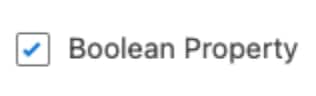 |
| Renderer Description | When the type produces output, it’s rendered as a true or false value.Default Renderer example:  |
For information about boolean type, see Understanding JSON Schema: boolean.
The lightning__booleanType Lightning type supports these configurable keywords.
| Keyword | Required | Type | Description |
|---|---|---|---|
title | Yes | String | The label text for the toggle |
description | No | String | The help text that describes the toggle’s purpose |
The lightning__dateType Lightning type uses a string type to specify the date data in the format yyyy-mm-dd.
For Use In
Agentforce Employee agent in Lightning Experience, Agentforce Service agent via Enhanced Chat v2, Agentforce Employee agent on Mobile, Agentforce Service agent via Enhanced Chat v2 on Mobile, Prompt Builder, and Experience Builder
| lightning__dateType | |
|---|---|
| Editor Description | When the type receives user input, it appears as a date picker in the UI. Default editor example: 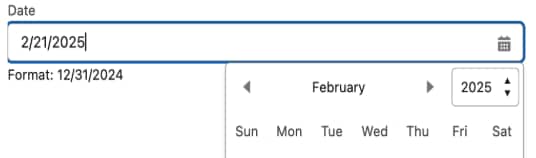 |
| Renderer Description | When the type produces output, it’s rendered as a date data.Default Renderer example: 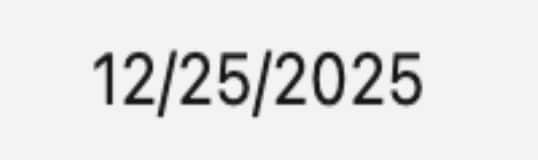 |
The lightning__dateType Lightning type supports these configurable keywords.
| Keyword | Required | Type | Description |
|---|---|---|---|
title | Yes | String | The label text for the date field |
description | No | String | The help text that explains the purpose of the date selection |
The lightning__dateTimeType Lightning type describes the complex Lightning type lightning__objectType, which contains the dateTime and timeZone (optional) properties. Use the lightning__dateTimeType Lightning type to specify date and time together.
Because lightning__dateTimeType is a standard complex Lightning type, the value of the type is represented as an object.
This table shows the properties of the object type that the lightning__dateTimeType Lightning type describes.
| Property | Required or Optional | Type | Description |
|---|---|---|---|
| dateTime | Required | String | Specify the date value in yyyy-MM-dd'T'HH:mm:ss.SSSZ format. |
| timeZone | Optional | String | Specify the time zone information in IANA time zone database format. |
This example shows an object with valid date and time values.
1{
2"dateTime": "2012-05-31T01:30:05.000Z",
3"timeZone": "Asia/Kolkata"
4}
For Use In
Experience Builder, Agentforce Employee agent on Mobile, and Agentforce Service agent via Enhanced Chat v2 on Mobile
| lightning__dateTimeType | |
|---|---|
| Editor Description | When the type receives user input, it appears as a date picker and a time picker in the UI. Default editor example: 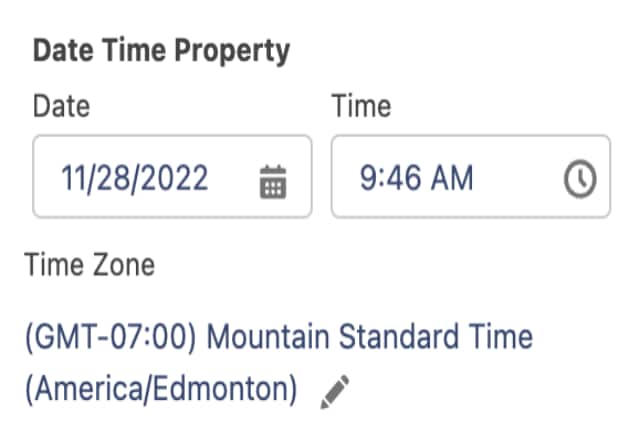 |
| Renderer Description | When the type produces output, it’s rendered as a date and time data.Default Renderer example: 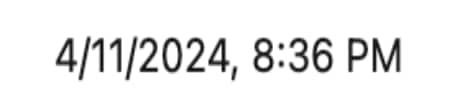 |
The lightning__dateTimeType Lightning type supports these configurable keywords.
| Keyword | Required | Type | Description |
|---|---|---|---|
title | Yes | String | The label text for the datetime field |
description | No | String | The help text that provides context for selecting the date, time, and time zone |
The lightning__dateTimeStringType Lightning type describes date, time, and time zone in standard ISO 8601 format. Use the lightning__dateTimeStringType Lightning type to specify date and time together in a standard ISO 8601 format string.
For Use In
Agentforce Employee agent in Lightning Experience, Agentforce Service agent via Enhanced Chat v2, Agentforce Employee agent on Mobile, Agentforce Service agent via Enhanced Chat v2 on Mobile, and Prompt Builder
| lightning__dateTimeStringType | |
|---|---|
| Editor Description | When the type receives user input, it appears as a date and time picker in the UI. Default editor example: 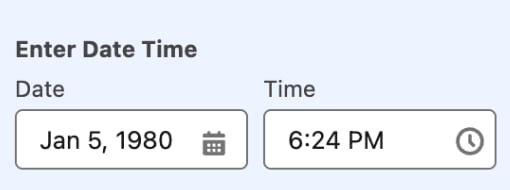 |
| Renderer Description | When the type produces output, it’s rendered as a date and time data. |
The lightning__dateTimeStringType Lightning type supports these configurable keywords.
| Keyword | Required | Type | Description |
|---|---|---|---|
title | Yes | String | The label text for the datetime field |
description | No | String | The help text that provides context for selecting the date, time, and time zone |
Use the lightning__integerType Lightning type to specify integers. The type applies to whole numbers. The lightning__integerType Lightning type corresponds to the integer type in a JSON schema.
For Use In
Agentforce Employee agent in Lightning Experience, Agentforce Service agent via Enhanced Chat v2, Agentforce Employee agent on Mobile, Agentforce Service agent via Enhanced Chat v2 on Mobile, Prompt Builder, and Experience Builder
| lightning__intergerType | |
|---|---|
| Editor Description | When the type receives user input, it appears as a numeric input field in the UI. Default editor example: 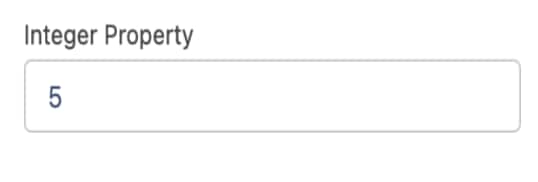 |
| Renderer Description | When the type produces output, it’s rendered as a number display field. Default Renderer example:  |
For information about the integer type in JSON Schema, see Understanding JSON Schema: integer.
The lightning__integerType Lightning type supports these configurable keywords.
| Keyword | Required | Type | Description |
|---|---|---|---|
maximum | No | Number | The maximum allowed integer value. Input can’t exceed this value. |
minimum | No | Number | The minimum allowed integer value. Input lower than this value triggers a validation error. |
title | Yes | String | The label text for the input field |
description | No | String | The help text that describes the expected input |
The lightning__multilineTextType Lightning type is similar to lightning__textType, but it accommodates a larger maximum character length and an editor for larger text input. The lightning__multilineTextType Lightning type corresponds to the string type in a JSON schema.
For Use In
Agentforce Employee agent in Lightning Experience, Agentforce Service agent via Enhanced Chat v2, Prompt Builder, and Experience Builder
| lightning__multilineTextType | |
|---|---|
| Editor Description | When the type receives user input, it appears as a multiline text input field on the UI. Default editor example: 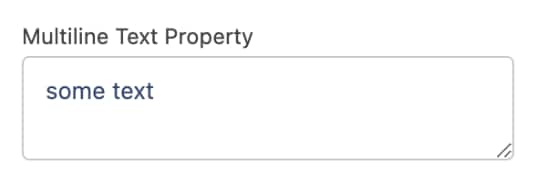 |
| Renderer Description | When the type produces output, it’s rendered as a multiline text display field. |
For information about string types in JSON Schema, see Understanding JSON Schema: string.
The lightning__multilineTextType Lightning type supports these configurable keywords.
| Keyword | Required | Type | Description |
|---|---|---|---|
maxLength | No | Number | The maximum number of characters allowed. Input can’t exceed this limit. |
minLength | No | Number | The minimum number of characters required. Input shorter than this limit triggers a validation error. |
title | Yes | String | The label text for the text area |
description | No | String | The help text that provides instructions for the input |
Use the lightning__numberType Lightning type to specify numbers. This type is validated as a decimal number, also known as a float in some programming languages. The lightning__numberType Lightning type corresponds to the number type in a JSON schema.
For Use In
Agentforce Employee agent in Lightning Experience, Agentforce Service agent via Enhanced Chat v2, Agentforce Employee agent on Mobile, Agentforce Service agent via Enhanced Chat v2 on Mobile, Prompt Builder, and Experience Builder
| lightning__numberType | |
|---|---|
| Editor Description | When the type receives user input, it appears as a decimal number input field in the UI. Default editor example: 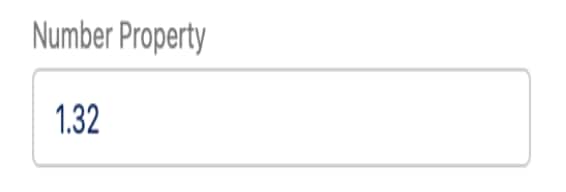 |
| Renderer Description | When the type produces output, it’s rendered as a decimal number display field. Default Renderer example: 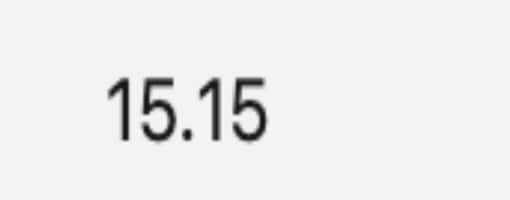 |
For information about number type in JSON Schema, see Understanding JSON Schema: number.
The lightning__numberType Lightning type supports these configurable keywords.
| Keyword | Required | Type | Description |
|---|---|---|---|
maximum | No | Number | The maximum allowed numeric value. Input can’t exceed this value. |
minimum | No | Number | The minimum allowed numeric value. Input lower than this value triggers a validation error. |
multipleOf | No | Number | The step value for increasing or decreasing the number. If not specified, the default is 1.0E-32. |
title | Yes | String | The label text for the input field |
description | No | String | The help text that describes the expected input, such as the unit of measurement |
Use the lightning__objectType lightning type to create object lightning types. This complex Lightning type can contain sub-properties, each with its own Lightning type.
With lightning__objectType, you can group other lightning types. The lightning__objectType lightning type corresponds to the object type defined in a JSON schema.
For information about object types in JSON Schema, see Understanding JSON Schema: object.
For Use In
Agentforce Employee agent in Lightning Experience, Agentforce Service agent via Enhanced Chat v2, Agentforce Employee agent on Mobile, Agentforce Service agent via Enhanced Chat v2 on Mobile, Prompt Builder, and Experience Builder
Use the lightning__richTextType Lightning type to add, edit, and delete rich text data. You can enter input text data of up to 100,000 characters.
For Use In
Agentforce Employee agent in Lightning Experience, Agentforce Service agent via Enhanced Chat v2, Agentforce Employee agent on Mobile, Agentforce Service agent via Enhanced Chat v2 on Mobile, Prompt Builder, and Experience Builder
| lightning__richTextType | |
|---|---|
| Editor Description | When the type receives user input, it appears as a rich text input field in the UI. Default editor example: 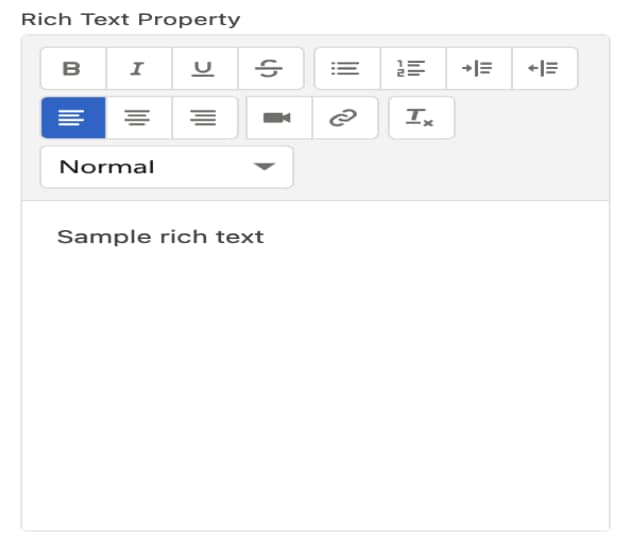 |
| Renderer Description | When the type produces output, it’s rendered as a rich text display field. |
For information about rich text editor, see Rich Text Editor.
The lightning__richTextType Lightning type supports these configurable keywords.
| Keyword | Required | Type | Description |
|---|---|---|---|
maxLength | No | Number | The maximum number of characters allowed |
minLength | No | Number | The minimum number of characters required (including HTML markup) |
title | Yes | String | The label text for the rich text editor |
description | No | String | The help text that describes the expected content or formatting |
Use the lightning__textType Lightning type for text fields, such as titles and descriptions. You can enter input text data of up to 255 characters. The lightning__textType Lightning type corresponds to the string type in a JSON schema.
For Use In
Agentforce Employee agent in Lightning Experience, Agentforce Service agent via Enhanced Chat v2, Agentforce Employee agent on Mobile, Agentforce Service agent via Enhanced Chat v2 on Mobile, Prompt Builder, and Experience Builder
| lightning__textType | |
|---|---|
| Editor Description | When the type receives user input, it appears as a text input field on the UI. Default editor example: 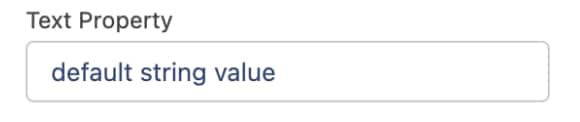 |
| Renderer Description | When the type produces output, it’s rendered as a text display field. Default Renderer example: 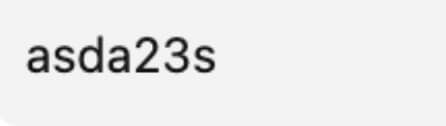 |
The lightning__textType Lightning type supports these configurable keywords.
| Keyword | Required | Type | Description |
|---|---|---|---|
maxLength | No | Number | The maximum number of characters allowed |
minLength | No | Number | The minimum number of characters required |
title | Yes | String | The label text for the text field |
description | No | String | The help text that describes the expected input |
Use the lightning__timeType Lightning type for time-specific fields, such as appointment time or arrival time. You can input time using the format HH:MM:SS.000Z (UTC) or HH:MM:SS. The format includes hours, minutes, seconds, and optional milliseconds.
For Use In
Agentforce Employee agent in Lightning Experience, Agentforce Service agent via Enhanced Chat v2, Agentforce Employee agent on Mobile, Agentforce Service agent via Enhanced Chat v2 on Mobile, and Prompt Builder
| lightning__timeType | |
|---|---|
| Editor Description | When the type receives user input, it appears as a time picker in the UI. Default editor example: 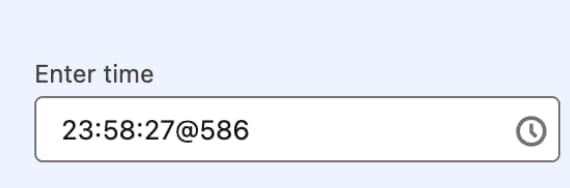 |
| Renderer Description | When the type produces output, it’s rendered as a time string displayed. Default Renderer example: 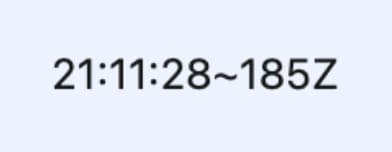 |
The lightning__timeType Lightning type supports these configurable keywords.
| Keyword | Required | Type | Description |
|---|---|---|---|
title | Yes | String | The label text for the time field |
description | No | String | The help text that explains the purpose of the time selection |
Use the lightning__urlType Lightning type for URL values. To specify the url schemes that the type can validate against, configure lightning:allowedUrlSchemes parameter of the Lightning type.
For Use In
Agentforce Employee agent in Lightning Experience, Agentforce Service agent via Enhanced Chat v2, Prompt Builder, and Experience Builder
| lightning__urlType | |
|---|---|
| Editor Description | When the type receives user input, it appears as a URL input field in the UI. Default editor example:  |
| Renderer Description | When the type produces output, it’s rendered as a hyperlink. |
The lightning__urlType Lightning type supports these configurable keywords.
| Keyword | Required | Type | Description |
|---|---|---|---|
lightning:allowedUrlSchemes | No | String[] | An array of supported URL schemes, such as https, http, or mailto |
title | Yes | String | The label text for the URL field |
description | No | String | The help text that describes the expected URL format |
j