Supervisor Listen In or Barge In with Salesforce Voice with Partner Telephony
When a rep belongs to a supervised group, a supervisor can monitor their active calls using the Supervisor Panel.
When a supervisor clicks Monitor on an active call, in addition to viewing the conversation entries (and real-time transcription), the supervisor can join and listen in, muted. If supported, the supervisor can also barge in (unmute), or disconnect.
For listening in to work, the supervisor can load the vendor’s connector using the Omni-Channel widget. The supervisor must belong to the contact center that they’re supervising.
In addition to these requirements, the supervisor must be assigned the SCV supervisor user permission and also have the value of the CapabilitiesResult field hasSupervisorListenIn set to true. In order for the supervisor to join a call unmuted, hasSupervisorBargeIn must also be set to true
In order for a supervisor to listen in or barge in:
- In Permission Sets, add the App Permission “Salesforce Voice Contact Center Supervisor” to the user in addition to “Salesforce Voice Contact Center Agent (Partner Telephony)”.
- When implementing
getCapabilities(), havehasSupervisorListenInset totruein the returnedCapabilitiesResult. If you want to allow the supervisor to barge in, unmuted, sethasSupervisorBargeIntotrue. - Have the Omni-Channel widget available for this user.
- Add the supervisor to the same contact center that they’re supervising.
- Create an Omni-Channel Supervisor configuration.
- Add Omni-Channel Supervisor to the Salesforce console.
- Add Omni-Channel Supervisor to a Lightning console app.
- Set up a supervisor queue.
After the setup is complete, a supervisor can see the Listen In button enabled when monitoring a Voice Call.
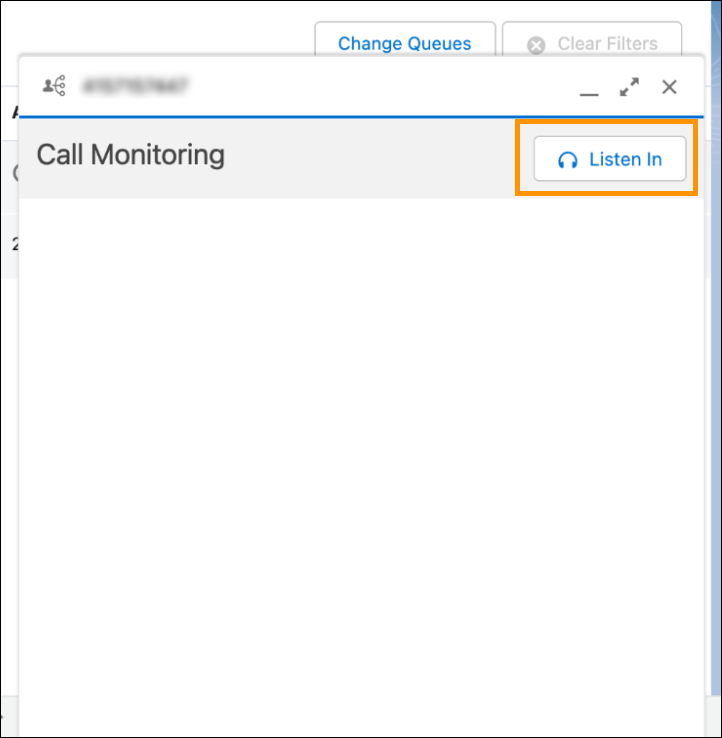
When a supervisor clicks the Listen In button, the call information is delegated to the vendor’s connector superviseCall(supervisedCallInfo) method. The superviseCall(supervisedCallInfo) method creates a call leg between the supervisor and the parent call, updates the list of active calls, and returns a promise of type SupervisorCallResult.
If the supervisor is on a hard phone, after the returned promise is resolved successfully, the supervisor call leg enters a Dialing state. The hard phone is expected to publish the SUPERVISOR_CALL_STARTED event after the Supervisor picks up the headset.
If the Supervisor is on a softphone, after the returned promise is resolved successfully, the supervisor call leg enters the Connected state. No extra events will be fired.
When the supervisor leaves the call using the softphone, the call information is delegated to the vendor’s connector supervisorDisconnect(call) method. This method must create a call leg between the supervisor and the parent call and return a promise. The vendor implementation must destroy the supervisor leg and update the list of active calls.
When the supervisor leaves the call using the hard phone, the vendor implementation must destroy the supervisor leg and update the list of active calls, and fire the SUPERVISOR_HANGUP event.
For example:
When a supervisor barges in, we use the same VoiceCall record. The participant type is created automatically and is reused for transcription.
When a supervisor barges in, you can reuse the toggle callInfo.recordEnabled and the capability CapabilitiesResult.hasRecord to control whether the supervisor can toggle a recording. Specifically, a recording toggle is allowed if all these conditions are met:
CapabilitiesResult.hasRecordis true.callInfo.recordEnabledis true.CapabilitiesResult.hasSupervisorListenInandCapabilitiesResult.hasSupervisorBargeInare both true.- The call is connected.
When clicked, we call the same pauseRecording() and resumeRecording() functions.
See Also