


 j
jPrerequisites
Create Agent Actions
Use OpenAPI Extensions to Create Agent Actions
Limits
Create Actions from Named Queries
Create Custom Actions Using Apex InvocableMethod
Provide Global Copy to Action Responses
Cite Agent Responses with Apex
Use an AuraEnabled Apex class retrieved from your org to generate an OpenAPI document and External Services Registration metadata. Then deploy the OpenAPI document to create API operations that you activate for use as agent actions.
Before you generate an OpenAPI spec document from AuraEnabled Apex classes, retrieve the classes into your VS Code project.
The Org Browser displays all the metadata types in your connected org and makes it easy to retrieve any metadata component. Use the org browser to navigate to your existing AuraEnabled Apex classes for which you want to generate the OpenAPI specification (OAS) document. Click the retrieve icon next to the metadata type to quickly retrieve the required classes. The retrieved classes are located in the /force-app/main/default/classes in your Salesforce project. See Org Browser to learn more.
Run SFDX: Create OpenAPI Document from this Class (Beta) from the command palette or the context menu.
In the search bar, enter the folder where you want to store the generated files or accept the default externalServiceRegistration folder.
The command generates the files <ApexClass>.yaml, and <ApexClass>.externalServiceRegistration-meta.xml.
The description that appears in your org’s API catalog comes from the top-level description mapping in the YAML file, not the <description> element of the XML file.
Note
Run the SFDX: Deploy This Source to Org command on the generated XML file to deploy the metadata to your org.
The command to deploy isn’t available on the YAML file. If the command times out, try again at a later time.
You can regenerate an OpenAPI document if you modify the Apex class associated with it.
<ApexClass>_<timestamp>.externalServiceRegistration-meta.xml and <ApexClass>_<timestamp>.yaml.These files are located in the esr_files_for_merge folder in the root directory of your Salesforce project.You may encounter API Catalog limits when deploying. See Limits.
Note
The OpenAPI document you deploy to your org describes the AuraEnabled API. After deployment, your API and its operations are registered in your org’s API catalog.
API Catalog and select it. See View Apex APIs in API Catalog.In your org, from Setup, in the Quick Find box, enter Agentforce Studio.
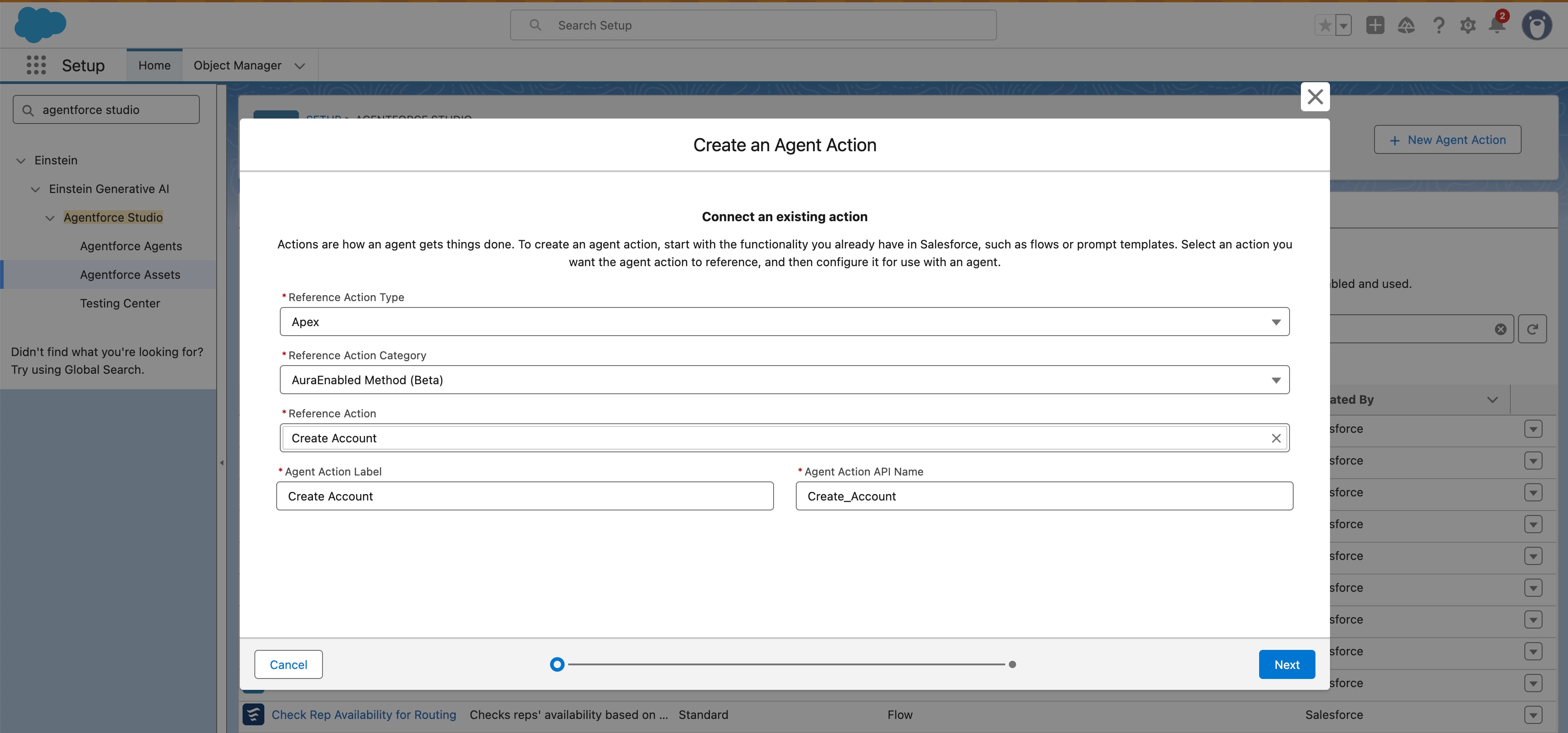
In the Agentforce Asset Library, click New Agent Action.
The API and its operations are available as an Apex Reference Action type that you use to create a custom agent action.
j