Update Salesforce Settings for Tableau Next Embedding
After creating your ECA, you need to update your Salesforce settings for trusted domains and use of cookies. Updating settings requires Salesforce Admin permissions.
Update Session Setting for Trusted Domains
Add a trusted domain for the web app where you are embedding your insights.
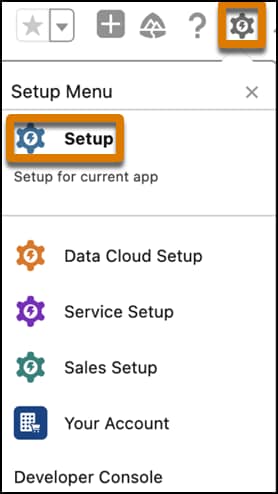
At the top of any Salesforce page, click the setup gear icon, then click Setup.
From the Setup page, enter Session in the Quick Find box, and then select Session Settings.
Scroll down to Trusted Domains for Inline Frames and click Add Domain.
Enter the domain. Acceptable formats are example.com, https://example.com, and *.example.com.
Select Lightning Out for the iFrame type and save.
Ensure First-Party Use of Salesforce Cookies is Disabled
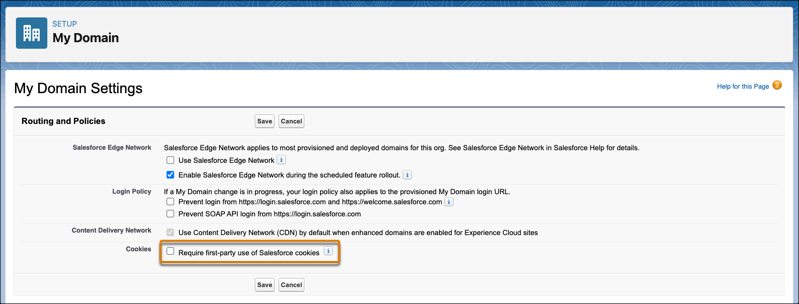
From the Setup page, enter My domain in the Quick Find box, and then select My Domain.
In Routing and Policies, check to see if Require first-party use of Salesforce cookies is enabled or disabled.
If this setting is enabled, click Edit for Routing and Policies, deselect Require first-party use of Salesforce cookies, and save.


 j
j