Service Cloud Voice Implementation Guide
 j
jNewer Version Available
Enable Contact Lens in an Existing Contact Flow
If you already created contact flows and now want to enable Contact
Lens in them, update your contact center to version 9.0, remove the existing transcription
provided by Amazon Transcribe from your contact flows, and then enable your contact flows with
Contact Lens.
| Ease of Implementation | Medium |
| Estimated Time to Implement | 45 minutes |
In this example, we show you how to update your existing contact flows with transcription using Contact Lens.
Prerequisites
To run through this example:
- You must update your contact center to version 9.0.
Step 1: Remove the Invoke AWS Lambda Function Block from the Existing Contact Flow
In Amazon Connect, remove the Invoke AWS Lambda Function block containing the kvsConsumerTrigger Lambda function from the existing contact flows. For instance, if you used the packaged contact flows, remove the function from Sample SCV Outbound Flow with Transcription and Sample SCV Agent Whisper Flow with Transcription.
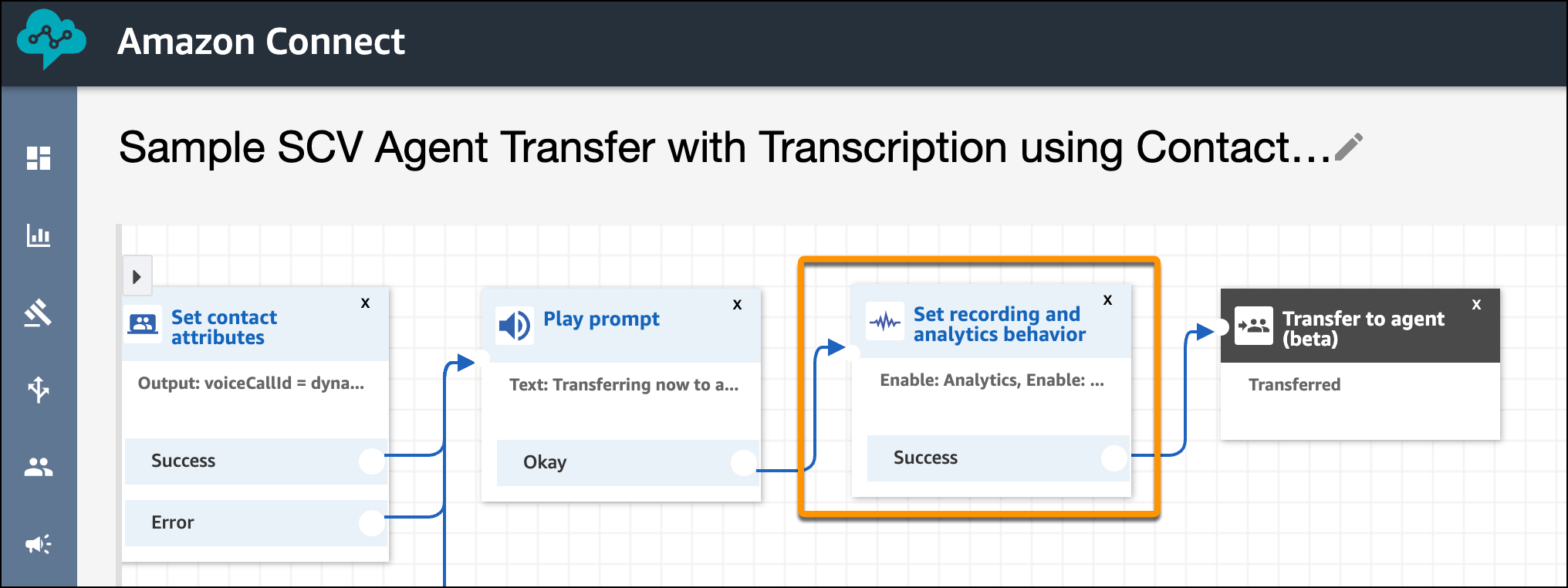
Step 2: Add the Recording Block
Add the “Set recording and analytics behavior” recording block to the contact flows and set
the options. If you are using the packaged contact flows, set the options in Sample SCV
Inbound Flow with Transcription, Sample SCV Outbound Flow with Transcription, Sample SCV
Agent Transfer, and Sample SCV Queue Transfer.