Cart Validation using SPI
Point of Sale Cart Validation SPI allows the POS app to send a cart to a merchant’s external system for validation before order placement. The SPI also reserves inventory, ensuring that items are held for the customer until the order is confirmed. Triggered early in the order flow, this can help merchants manage stock and prevent fraud.
- Modern POS App Build: 10.7.1 or greater
- Platform Support: iPad & iPhone
- Offline Support: No
For details on this SPI, see Cart Validation SPI in the Point of Sale reference documentation.
For a comprehensive list of Point of Sale APIs and SPIs, see Point of Sale API, SPI, and Webhook Overview.
-
In CMS, go to Integrations | Custom Connectors.
-
Click Create.
-
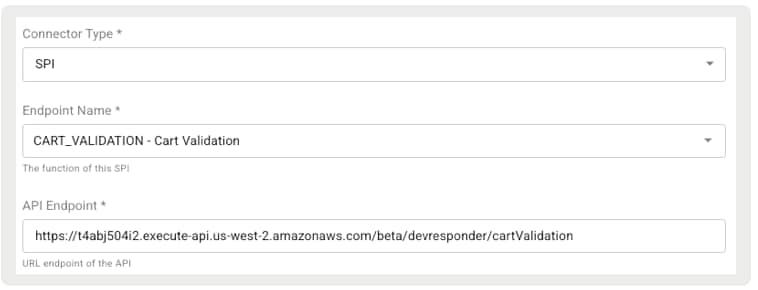
For Connector Type, select SPI.
-
For Endpoint Name, select CART_VALIDATION.
-
For API Endpoint, specify the external endpoint.
-
For Integration Type, select HTTP_POST.
-
Specify any required JSON headers. For example,
{"Content-Type":"application/json"}. See Point of Sale API, SPI, and Webhook Overview for examples. -
Configure the rest of the fields as needed.
-
Save your changes.
This section covers optional configurations that can help with inventory tracking, tax calculation, and delivery flexibility. While not required for basic functionality, configuring these settings can unlock advanced features like store-level inventory visibility, SPI-based tax handling, and support for complex fulfillment scenarios.
-
Configure an inventory. See Inventory Configuration in Salesforce Help.
-
Select SPI as the Provider.
-
Enable Track Store Inventory in the same Inventory Configuration.
-
Configure a tax engine. See Integrate Tax Engines in Salesforce Help.
-
Select SPI as the Tax Engine.
-
Configure the Tax Calculation SPI.
-
Enable these Omnichannel settings.
-
Enable Order Delivery Grouping
-
Allow Multiple Shipments Per Cart/Order
-
Allow Multiple Delivery and Pickup Dates Per Order
-
Allow Multiple Shipping Addresses Per Order
-
-
Configure the Delivery Group SPI.
The Cart Validation SPI is triggered just before an order is placed, validating the cart’s contents. It can also manage inventory, such as making reservations. There are two phases during the order placement process: phase 1 and phase 2.
Once a tender type is selected, the app makes the phase 1 call to Point of Sale backend services. During this phase, the POS app invokes the Cart Validation SPI. Because phase 1 occurs before payment is fully processed, inventory reservation also takes place at this stage. The SPI is called only once, even in multi-tender or remote Pay By Link scenarios. Regardless of the number or type of tenders, only one phase 1 call is made.
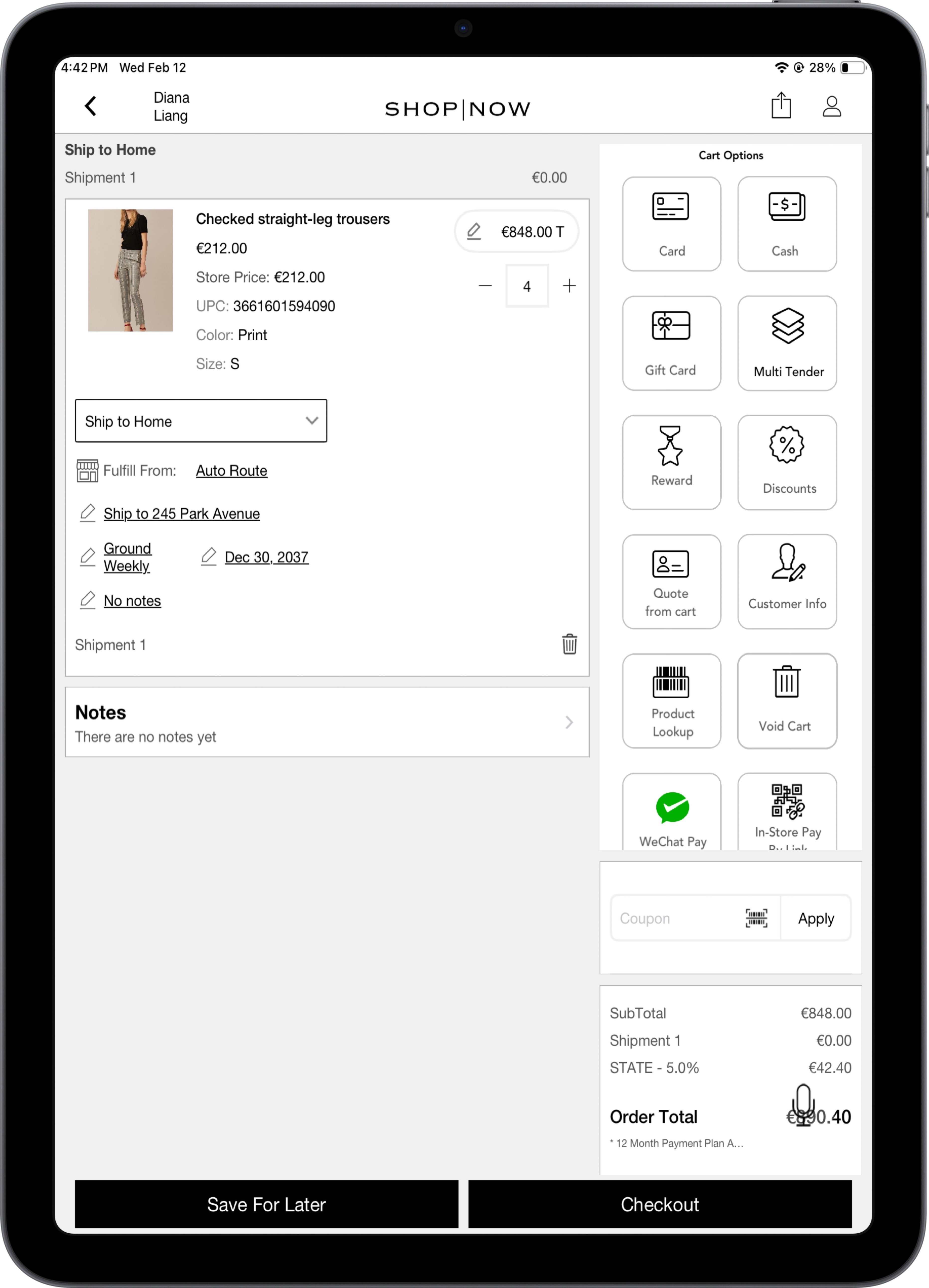
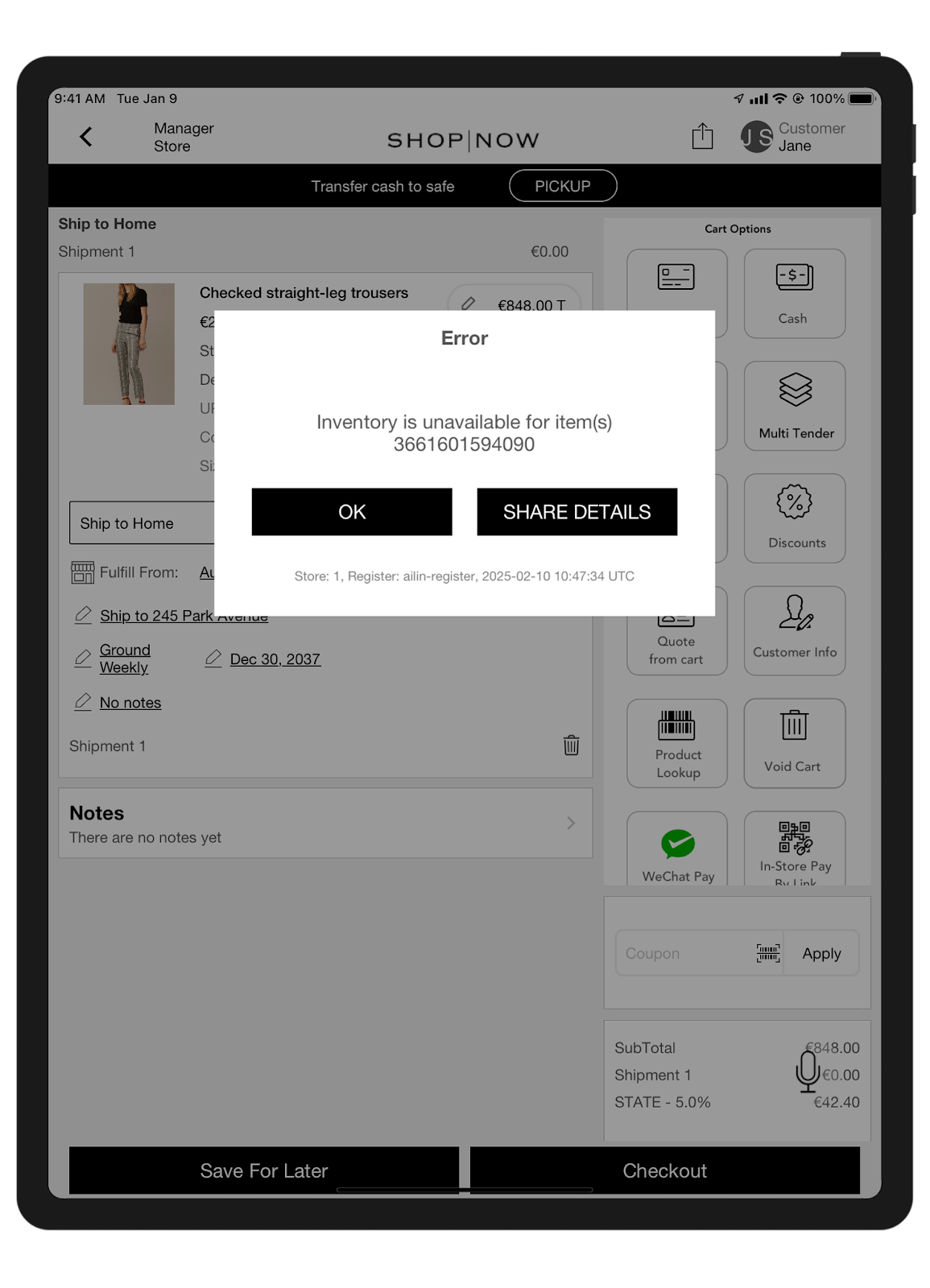
In this example, if a product’s quantity exceeds 4, a validation failure occurs, displaying an error that the product is out of inventory. For quantities below 4, the validation completes successfully and does not block the checkout flow. The quantity of 4 is just an example, and merchants can customize the validation rules, including the thresholds and error messages, according to their needs.
POST/merchant/spi/sample/endpoint/sa/cartValidation
The request includes all cart items and their associated details. The cartItemList contains information for each product in the cart. Key product identifiers such as productId and variantGroupId are paired with attributes like name, size, color, and quantity. Pricing fields include base price, discounts, subtotal, and total. Each item also includes fulfillment data, such as fulfillmentType, fulfillmentSubType, and delivery or pickup time slots. Tax information is provided at both item and unit levels, with support for VAT, exemptions, and detailed tax rate metadata. The request also accounts for price adjustments, including promotional discounts and manager-approved overrides.
Additionally, each item supports metadata such as sales associate attribution, return eligibility, required deposits, serial numbers, product condition, and optional notes or return reasons. These details ensure all validations—pricing, taxes, fulfillment, and returnability—are covered before proceeding to checkout.
In the Delivery Group SPI, merchants can pass custom product attributes as part of the request. These attributes are defined in the CMS under Store Management | Store Settings | Product, by setting the Merchant-specific product attributes to be provided in SPI request (spiCustomProductAttributes). Merchants can enter a comma-separated list of case-insensitive fields from the product collection. For example, variantGroupId, salePrice, manufacturer, and brand. After configuration, these attributes are included in the Delivery Group SPI response.
Note that these custom attributes must be real fields in the product schema and configured at the store level. The overall request schema includes cartId, editOrderId, cartItemList, and deliveryGroupList.
The response includes an error code and error message if there’s a validation issue. The schema follows a standard response format, including fields such as errorMessage, errorCode, and error.
If the cart validation fails, any reserved inventory is released. Merchants must configure the Inventory Service SPI to make sure that all reserved inventory is properly reverted. For more information, see Retail Cloud API, SPI, and Webhook Overview.