Deploy a Custom Script to Data 360 Sandbox by Using UI (Beta)

The deployment process packages your Python script, its dependencies, and Data 360 configuration, and then uploads them to Data 360.

Code extension is a pilot or beta service that is subject to the Beta Services Terms at Agreements - Salesforce.com or a written Unified Beta Agreement if executed by Customer, and applicable terms in the Product Terms Directory. Use of this pilot or beta service is at the Customer's sole discretion.

Edition Table
Available in: Developer, Enterprise, Performance, and Unlimited Editions. See Data 360 edition availability.
User Permissions Needed
To deploy a custom script to Data 360 Sandbox:Permission set:
  • Data Cloud Architect
  1. Go to your SDK project directory.

  2. Package your code and its dependencies into a .zip file.

The CLI automatically packages these files.

  • Source file: entrypoint.py
  • Dependencies: requirements.txt and equivalent dependency files
  • Configuration: config.json and other configuration files
  • Project files: Essential project structure files (for example, Dockerfile)

To ensure a successful deployment, confirm that your zipped file size is less than 5 GB.

  1. In Data 360, click the Code Extension tab.

    If the Code Extension tab isn't visible, click More and select Code Extension.

  2. Click New.

  3. Enter these details, and then click Next.

FieldDescription
Deployment NameA name for your deployment. This name helps you and your team identify the custom code in the Data 360 user interface.
Deployment API NameA unique identifier for your custom script deployment. The API name can contain only underscores and alphanumeric characters. It must be unique, begin with a letter, and be no more than 40 characters. The name can’t include spaces, end with an underscore, or contain two consecutive underscores.
DescriptionA concise summary of what your custom code does and its intended business use case
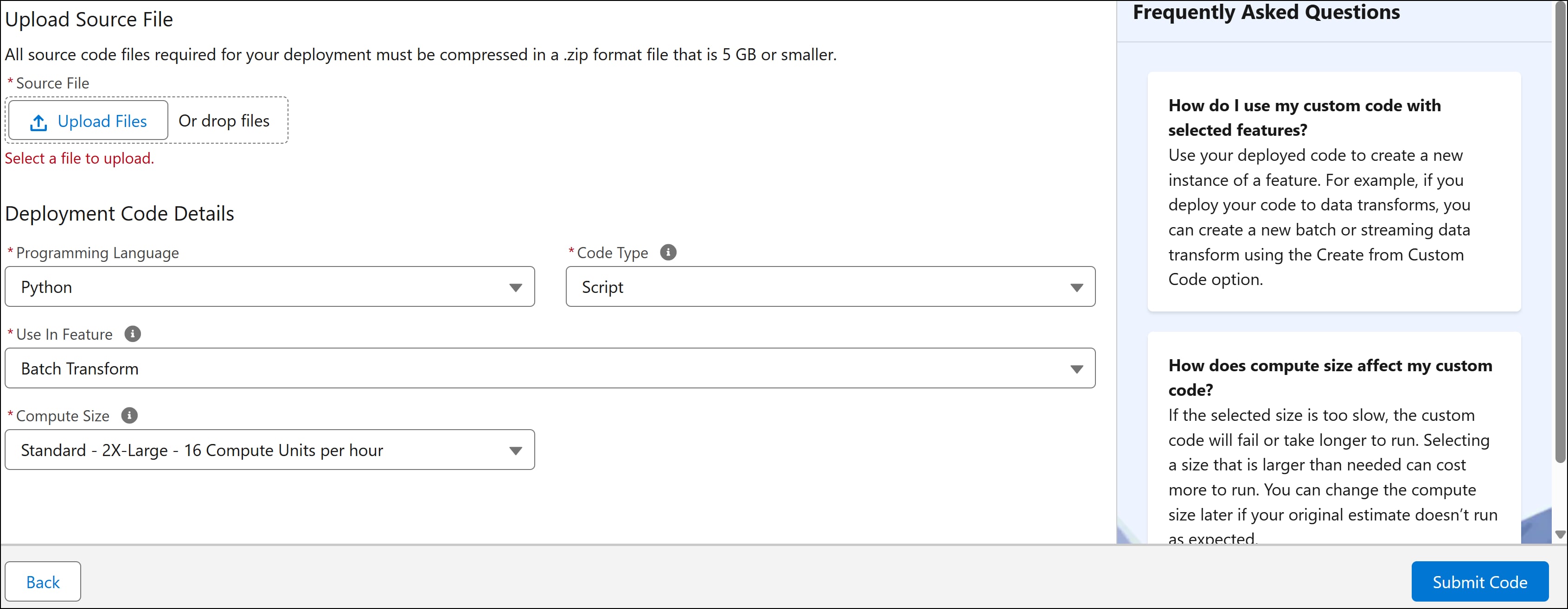
  1. Specify these code details, and then click Next.

    Code Deployment

    FieldDescription
    Programming LanguageSelect Python, the language used to write your custom script.
    Code TypeSelect Script.
    Use in FeatureSelect Batch Data Transform to use the deployed script in your batch data transform.
    Compute SizeSelect the compute size based on your expected workload and resource requirements.
    • Larger sizes provide more vCPUs and memory but consume more credits.
    • The available compute sizes are: Standard - Large - 4 Compute Units per hour, Standard - X-Large - 8 Compute Units per hour, Standard - 2X-Large - 16 Compute Units per hour, and Standard - 4X-Large - 32 Compute Units per hour.
    • With each size increase, the number of CPU cores and memory doubles.
  2. To upload your custom code, click File Upload and select your zipped package. You can also drag your package into the upload window.

    Use the dropdown options to remove or replace the uploaded custom code as needed.

  3. Click Submit Code to deploy your script.

    The deployment completes in a few minutes. Monitor the deployment status on the Code Extension page.

View Deployment Details