Invoke Custom Code by Creating a Batch Data Transform (Beta)
Invoke your custom code by creating a batch data transform that uses your deployed custom script. Creating a batch data transform is one way to invoke custom code in Data 360.
Code extension is a pilot or beta service that is subject to the Beta Services Terms at Agreements - Salesforce.com or a written Unified Beta Agreement if executed by Customer, and applicable terms in the Product Terms Directory. Use of this pilot or beta service is at the Customer's sole discretion.
| Edition Table |
|---|
| Available in: Developer, Enterprise, Performance, and Unlimited Editions. See Data 360 edition availability. |
| User Permissions Needed | |
|---|---|
| To invoke custom code by creating a batch data transform: | Permission set:
|
-
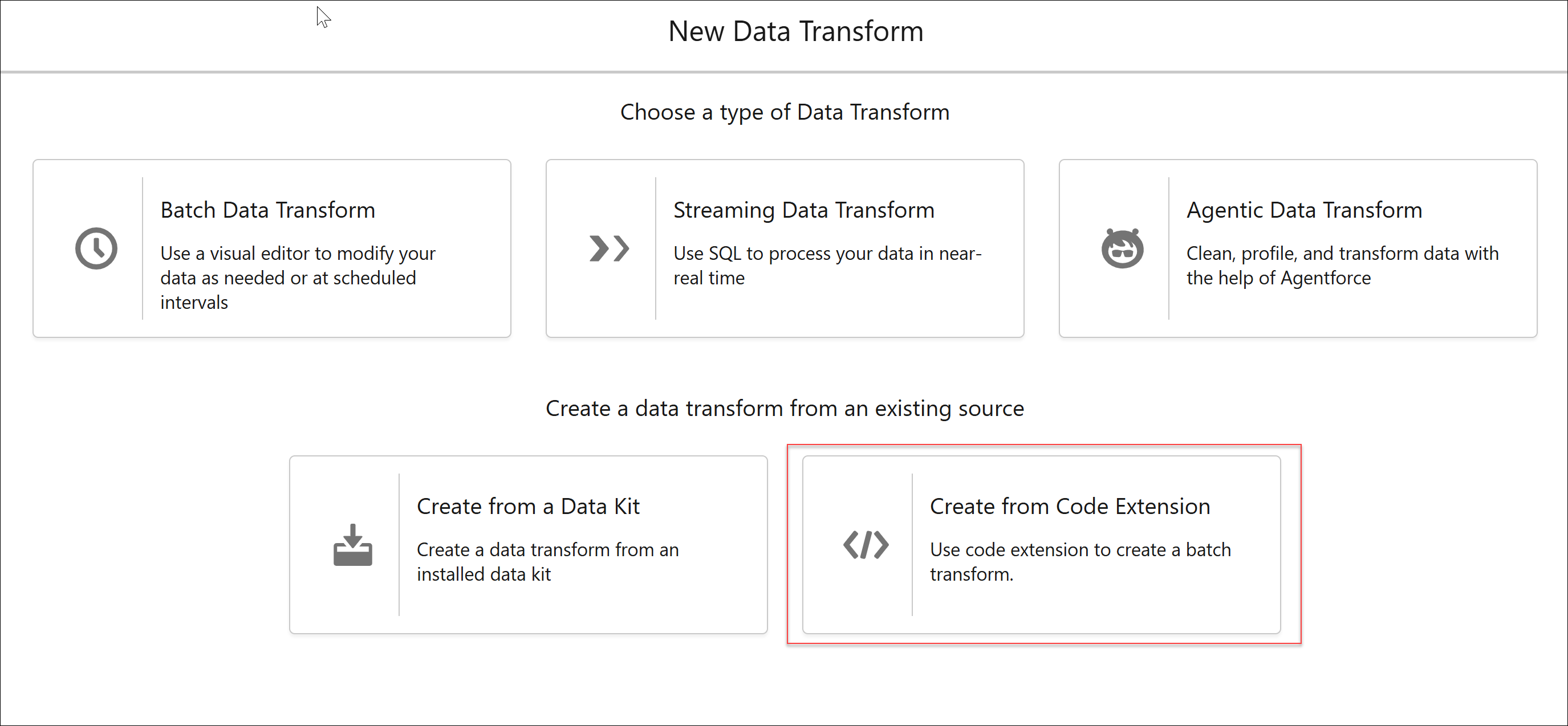
In Data 360, on the Data Transforms tab, click New.
If the Data Transforms tab isn’t visible, click More and select Data Transforms.
-
Select Create From Custom Code, and click Next.

-
Enter these details.
-
Data Transform Name: A name for your batch transform.
-
Data Transform API Name: The API name can contain only underscores and alphanumeric characters. It must be unique, begin with a letter, and be no more than 40 characters. The name can’t include spaces, end with an underscore, or contain two consecutive underscores.
-
-
Select a custom code from the list of custom code deployed in your org, and then save.
If the custom code list is long, search for your code by name and select the code.