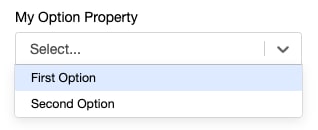
Static values for complex configurations can be defined such that they appear as options within a dropdown menu by using the @options decorator. If the complex type contains a label property, it is used for the option’s label.
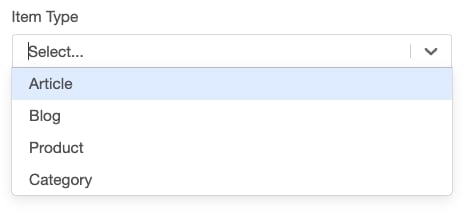
Dynamic options can be loaded using the @lookupOptions decorator. If the options value is a string, the value is used as the label.
1export class ItemTypeLookup implements Lookup<string>{2 lookup(context: GearLifecycleContext): string[]{3 return context.services.config.findEnabledItemTypes();4}5}67export class SimpleTemplate implements CampaignTemplate{}8 @lookupOptions(()=> new ItemTypeLookup())9 itemType : string;10}
Dynamic Option Values
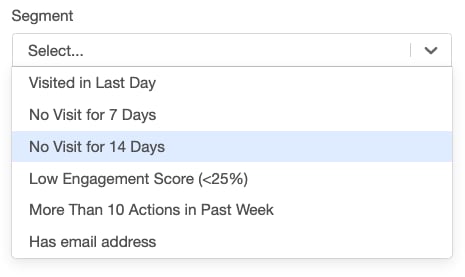
If the class has a label property, this property is displayed in the dropdown.
1export class SegmentReference{2 value: string;3 label: string;4}56export class SegmentLookup implements Lookup<SegmentReference>{7 lookup(context: GearLifecycleContext): SegmentReference[]{8 let segments = context.services.config.findSegments("User");910 return segments.map((segment)=>{11 return<SegmentReference>{value: segment.id, label: segment.name};12});13}14}1516export class SimpleTemplate implements CampaignTemplate{17 @lookupOptions(()=> new SegmentLookup())18 segment: SegmentReference;19}
Dynamic Option Values With Configuration
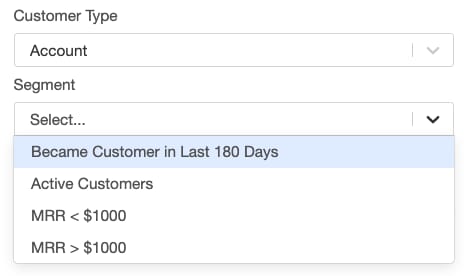
The Lookup class can pass data via a constructor to configure what the lookup method returns as options.
1type CustomerType = "User" | "Account";23export class SegmentReference{4 value: string;5 label: string;6}78export class SegmentLookup implements Lookup<SegmentReference>{9 customerType: CustomerType = "User";1011 constructor(customerType: CustomerType){12 this.customerType = customerType;13}1415 lookup(context: GearLifecycleContext): SegmentReference[]{16 if(!!this.customerType){17 let segments = context.services.config.findSegments(this.customerType);1819 return segments.map((segment)=>{20 return<SegmentReference>{value: segment.id, label: segment.name};21});22}23}24}2526export class SimpleTemplate implements CampaignTemplate{27 customerType: CustomerType;2829 @lookupOptions((self)=> new SegmentLookup(self?.customerType))30 segment: SegmentReference;31}
Searchable Options
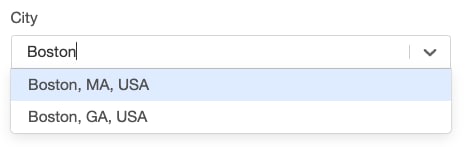
The @searchOptions decorator works similarly to @lookupOptions. The difference is that @searchOptions provides a search string that can be used to filter applicable options.
1export class CityReference{2 value: City;3 label: string;4 searchString: string;5}67export class CitySearch implements Search<CityReference>{8 search(context: GearLifecycleContext, searchString: string): CityReference[]{9 if(searchString){10 let cities: City[] = context.services.geography.searchCities(searchString);11 return cities.map((c)=>{12 return<CityReference>{label: c.longName(), value: c};13});14}15}16}1718export class SimpleTemplate implements CampaignTemplate{19 @searchOptions(()=> new CitySearch())20 city: CityReference;21}


 j
j