Considerations and Limitations for Custom Property Types and Editors
Before you create a custom property type or editor, review these limitations and known issues.
You can create custom property types and property editors only for custom Lightning web components in Experience Builder sites. You can’t create them for Aura components.
For more information about Experience Builder, see Customize Sites with Experience Builder in Salesforce Help. For more information about LWR sites, see the LWR Sites for Experience Cloud developer guide.
When you include a custom property type or editor in a Lightning web component, the component’s js-meta.xml file has these limitations.
- You can use custom property types and property editors only in Lightning web components that target
lightningCommunity__Default. You can’t use them in components that target lightningCommunity__Page_Layout, lightningCommunity__Theme_Layout, or other targets that are unrelated to Experience Builder. If you do, deployment of the component fails.
- If a property references a custom property type or Lightning type (for example,
<property name="myProperty" type="c__customType" />), you can’t specify these attributes in the property. If you do, deployment fails.
- datasource
- max
- min
- placeholder
- If a property references a custom property editor, you can specify
screenResponsive="true" for that property. However, in the component property panel, the screen-responsive icon doesn’t automatically appear next to that property’s label. If you want this icon to be visible next to your custom property editor, add the icon manually.
- Certain features aren’t exposed in the new Lightning Types Setup user interface. If you create and deploy a custom
LightningTypeBundle via Metadata API with these unsupported features, use Metadata API when you update them. Otherwise, some of the unsupported features can disappear.
For more information on the js-meta.xml file, see XML Configuration File Elements.
When a custom property editor or type is invalid, an error message appears in the component property panel in Experience Builder.
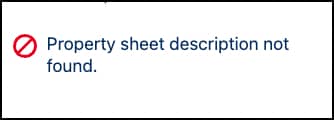
You can find more details on the error’s cause in the browser console.
Custom property types originally were created with ExperiencePropertyTypeBundle but are now created with LightningTypeBundle. To update those older custom property types, follow the steps in Migrate from ExperiencePropertyTypeBundle to LightningTypeBundle.
Unlike with ExperiencePropertyTypeBundle, you can make updates to LightningTypeBundle. If the update contains no breaking changes, you can make the update even when the bundle is referenced by a component that’s in use in a site or managed package.
However, LightningTypeBundle doesn’t support custom layouts. If you used ExperiencePropertyTypeBundle to create a custom layout in an older component, replace that layout with a supported standard layout.
See Also
This release is in preview. Features described here don't become generally available until the latest general availability date that Salesforce announces for this release. Before then, and where features are noted as beta, pilot, or developer preview, we can't guarantee general availability within any particular time frame or at all. Make your purchase decisions only on the basis of generally available products and features.


 j
j