


Force.com Platform Fundamentals
 j
j
No Results
Search Tips:
- Please consider misspellings
- Try different search keywords
Try It Out: Follow a Job Application Record
For our Recruiting app, we know that hiring managers want to keep track of job applications for their open positions. All they have to do is follow those records.
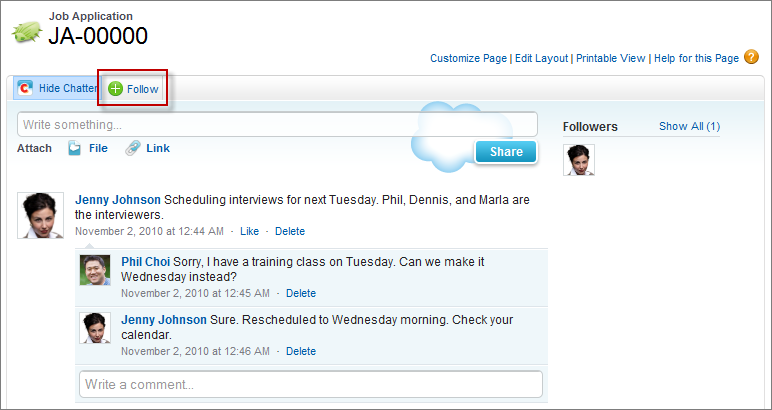
All tracked field updates, as well as other users’ posts and comments on the records you’re following, are posted to your personal feed. Use Chatter to connect the right people to the right records, and start collaborating in real time on the hiring process.
Beyond the Basics
Did you know you can use Chatter to collaborate outside of your browser?
Say you want to keep an eye on Chatter updates, but you can’t log in through a browser. For example, you’re creating a slide deck on your laptop and there’s not enough screen room for your browser. In these cases, it helps to have a Chatter client app installed.
Chatter Desktop is a Chatter client app that integrates your computer with Chatter. Chatter Desktop makes collaboration easier than ever. Want alerts when people you're following post something new? Just install Chatter Desktop and watch it display pop-up notifications for each update. Need to share a file with your coworkers? Just drag it to the Chatter Desktop interface.
- At the top of any Salesforce page, click the down arrow next to your name. From the menu under your name, select My Settings or Setup—whichever one appears.
- From
the left pane, select one of the following:
- If you clicked My Settings, select .
- If you clicked Setup, select .