ISVforce Workbook
 j
j
No Results
Search Tips:
- Please consider misspellings
- Try different search keywords
Step 1: Package Your App
In this step you'll package the app so other people can download it. A package is simply a container for components, in this case it's your Mechandise object, tab, and Warehouse app.
- From Setup, click , and then click New.
- In the Package Name field enter Warehouse Components and then click Save.
- On the Package Detail page click Add.
- Select the checkbox next to your Warehouse app and click Add to Package.
Tell Me More....
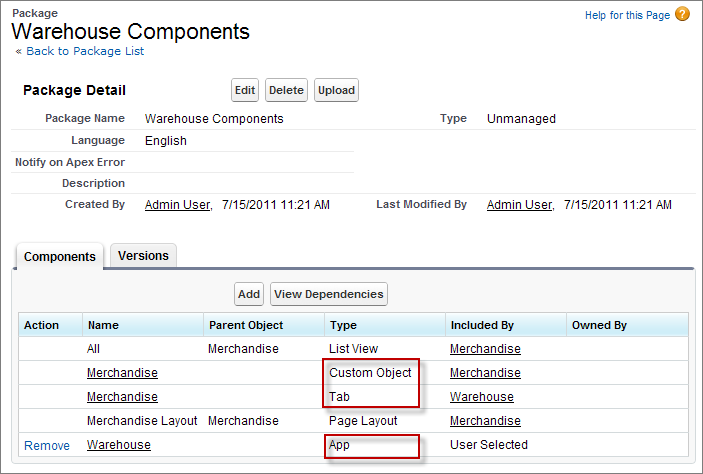
The Components tab displays the components in your package. When you clicked Add to Package for your app, did you notice that your Merchandise object and tab were automatically added? Other dependent files, such as the page layout are also added. The framework automatically detects dependent components and adds then to the package.
Components in a Package