


Force.com Platform Fundamentals
 j
j
No Results
Search Tips:
- Please consider misspellings
- Try different search keywords
Newer Version Available
Look At What We've Done
Great! We've now got a workflow rule that moves position records created by non-recruiters to a queue of unclaimed positions, and if not claimed by a recruiter in three days, assigns a task to the recruiting manager.
To try it out, simply make sure that you're logged in as a hiring manager (such as Ben Stuart) and create a new position. As soon as you return to the detail page for the position, you'll see that the Unclaimed Positions Queue has automatically been assigned as the record owner, and that any user assigned to the Recruiter or Recruiting Manager role will have received an email notification.
To actually view the contents of the queue, click the Positions tab, and choose Unclaimed Positions Queue from the View drop-down list. Any recruiter or recruiting manager can click the Accept button on this page and take ownership of the new position.
- Log back in to your organization as an administrator.
- From Setup, click Time-Based Workflow or .
- Click Search.
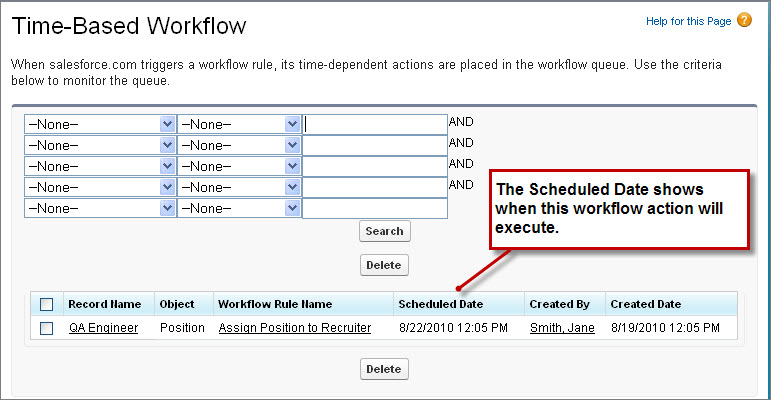
As soon as a recruiter takes ownership of the new position record, this task is deleted from the workflow queue. Pretty slick, isn't it?
Now let's build one final workflow rule so we can see how to create a workflow email alert.