


Salesforce1 Mobile App Developer Guide
 j
j
No Results
Search Tips:
- Please consider misspellings
- Try different search keywords
Add the Action to the Global Publisher Layout
We just created the global action for the canvas app so now we’ll add the action
to the global publisher layout. Then it will appear in the action bar in the Salesforce1 app.
- From Setup, click .
- Click Edit next to the Global Layout.
This is the default layout for the publisher.
- Drag the Track Deliveries element into the Publisher Actions
section so that it appears as the first element on the left.Our warehouse workers are going to use this custom action a lot, so we're putting it at the start of the list so it'll be one of the first actions they see in the action bar.
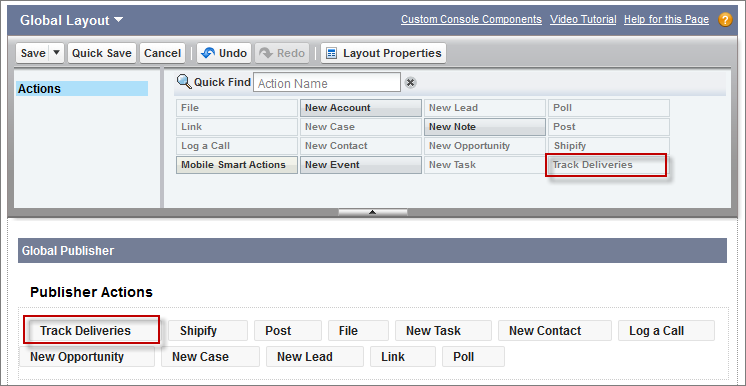
- Click Save.
Now that we’ve created the custom action and added it to the publisher layout, we’re ready to see it in action.