ISVforce Guide
 j
j
No Results
Search Tips:
- Please consider misspellings
- Try different search keywords
Newer Version Available
Add Custom Fields to the Order Detail Page
You can add custom fields to the Order detail page to collect
any data you want as orders are entered.
Follow the steps below to add custom fields to the Order
detail page. All field types are accepted and the data entered is
only stored locally in your org (not sent to salesforce.com).
- First, create the custom fields on the Service Order object.
From Setup, click and select the Service Order object.
In Custom Fields & Relationships, click New.For detailed instructions, see Creating Custom Fields in the Salesforce Help.
- Add the new fields to the Custom Fields Field Set for the
Service Order object and order them as they should appear on the Order
detail page. For details on field sets, see Creating and Editing Field Sets in the Salesforce Help.
- When you save the additions to the Service Order object,
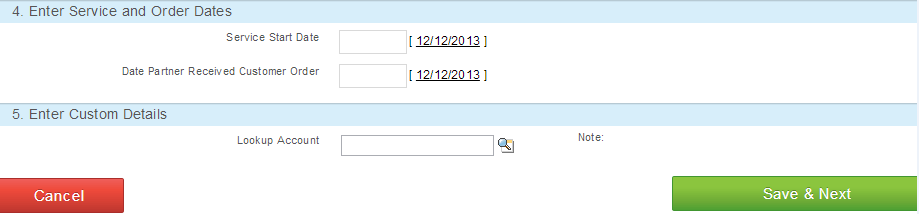
a new section called Enter Custom Details will appear on the Order
detail page that contains the custom fields.