


Visualforce Developer’s Guide
 j
j
No Results
Search Tips:
- Please consider misspellings
- Try different search keywords
Newer Version Available
Redirecting to a Standard Object List Page
For buttons or links that navigate a user to a standard tab, you can redirect the content to present a list of standard objects.
Create a Visualforce page with the following markup:
1<apex:page action="{!URLFOR($Action.Account.List, $ObjectType.Account)}"/>The user will see a page that resembles the following:
Overriding the Account Detail Page
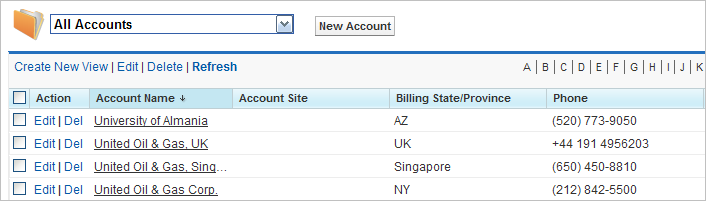
The Visualforce page can also refer to other standard objects, such as contacts,
by changing the reference to the standard object. For example:
1<apex:page action="{!URLFOR($Action.Contact.List, $ObjectType.Contact)}"/>