Force.com Platform Fundamentals
 j
jNewer Version Available
Introducing Visualforce Development Mode
Creating Visualforce pages is quick and easy, and there are two ways to do it: from Setup click , or enable Visualforce development mode and navigate to a “blank” page.
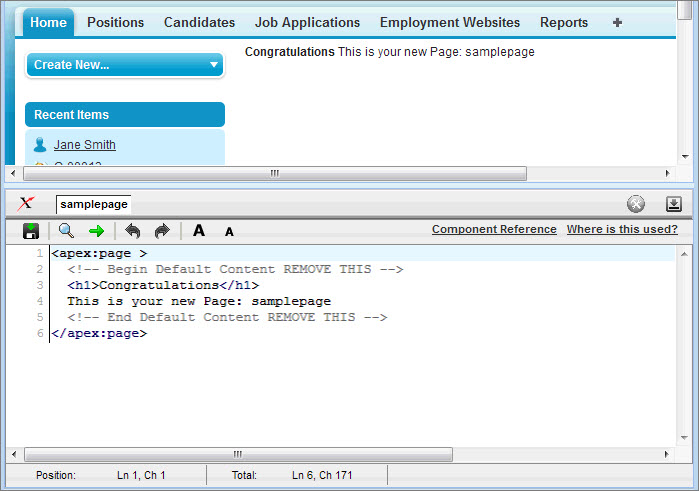
In this book, we'll use Visualforce development mode to create and edit our Visualforce pages because it has several features that are quite handy. One of those is the special development footer on every Visualforce page. The footer lets you access a page markup editor that includes tools you can use to search for values, jump to a certain line in your code, and undo and redo changes. The page editor also offers highlighting and auto-suggest for component tags and attributes, and has a link to the component reference documentation, which includes descriptions and examples for every Visualforce component.
While you're in Visualforce development mode, you can create a new page just by entering a unique URL in your browser's address bar. And as you add code to your Visualforce page, you'll be able to save it and see your changes instantly rendered in your browser!