


ISVforce Workbook
 j
jStep 1: Upload a Managed Released Version
This step will seem familiar, it's similar to uploading a beta.
- If you've been following along non-stop, you're probably still logged into your test org. Log out and then log into your dev org.
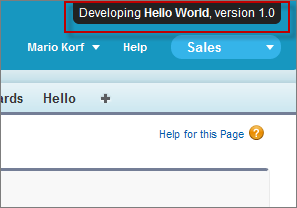
- Notice in the upper right corner there's a link that says Developing Warehouse Components, version 1.0. Click that
link to go directly to the Package Detail page.Developing Warehouse Components, version 1.0
- On the Package Detail page, click Upload.
- Enter a version name.
- For the Release Type, choose Managed — Released.
- Scroll to the bottom and click Upload and OK on the popup.
Tell Me More....
Just as before, you'll receive an email with a login link when the package is ready.