


Salesforce Style Guide for Documentation and User Interface Text
 j
jIcons
Icons appear throughout Salesforce as alerts
or warnings, status indicators, or elements that users click to execute
a command. In general, you'll document icons as part of a procedure
or in a conceptual topic.
- In a task, use a screenshot of the icon instead of identifying
it by name. For example, “If Chatter is
enabled, click
 to follow or
  to stop following an account in your feed.”
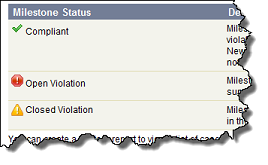
 - In concepts, use a screenshot of the icon and text as needed to
describe it. You can document the name of the icon (which may be how
it's identified by hover text), but it’s more helpful to describe
what it means or does. This example from the Salesforce Help describes
status icons:
- Make sure to add a description of the image in the alt attribute.