


Salesforce Security Guide
 j
jCustom Login Flows
Login flows allow administrators to build post-authentication
processes to match their business practices, associate the flow with a user profile, and send
the user through that flow when logging in. Use login flows to collect registration
information from users, provide a terms of service acceptance form, prompt the user for a
second factor of authentication, and other customization.
| Available in: both Salesforce Classic and Lightning Experience |
| Available in: Enterprise, Performance, Unlimited, and Developer Editions |
Use the Flow Designer to create login flows, and then associate those flows with specific profiles in your organization. You can connect the same flow to multiple profiles. Users with the profile are directed to the login flow after they authenticate, but before the user is directed to the organization’s content. The login flow screens are embedded within the standard Salesforce login page for an integrated user login experience.
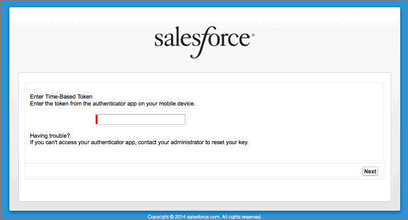
Login flows support all the Salesforce user interface authentication
methods, including username and password, delegated authentication, SAML single sign-on, and
social sign-on through a third-party authentication provider. You can apply login flows to Salesforce organizations, communities, and portals.