


Salesforce1 Mobile App Developer Guide
 j
jMinimize the Number of Fields
For example, if you’re creating a screen for adding a new warehouse, you might only want to surface the warehouse name field. This way the user can quickly add a new warehouse. If the user has collected more information, they can edit the new record and add it in the detail view.
This guideline is particularly important when displaying information
that’s for viewing only. For example, if you’re creating
a form that the mobile technician uses to look up a customer, the
technician probably needs to see only the customer name, address,
and a phone number. In our page to search for merchandise, only two
fields are needed: the merchandise name and delivery distance.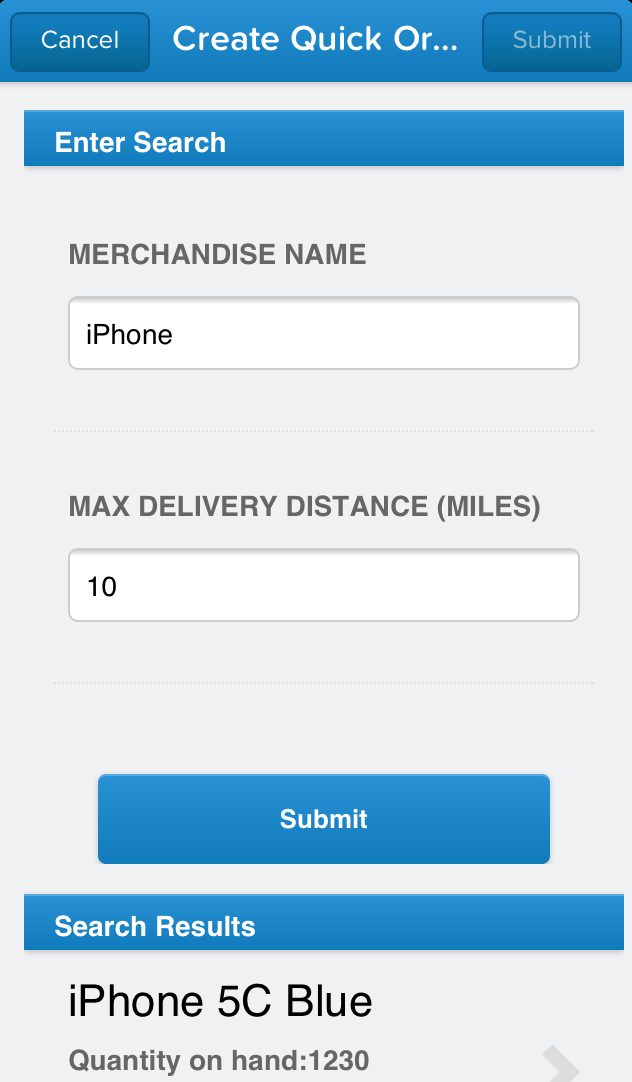
To reduce the number of fields on a screen, consider using default values for new records instead of having the user enter the data.