


Force.com Platform Fundamentals
 j
jTry It Out: Test the Mass Update Status Feature
To test the Mass Update Status feature, navigate to a position record to which multiple candidates have applied, and scroll down to the Job Applications related list. Notice that the Update Status button is there, and checkboxes appear next to the job application numbers, just as we planned.
Now select a few job applications and click the Update
Status button. Our Mass Update Status Visualforce page appears. Notice that the lower half of the page lists the job
applications we selected on the previous page.
Mass Update Status Page Displaying Selected Applications
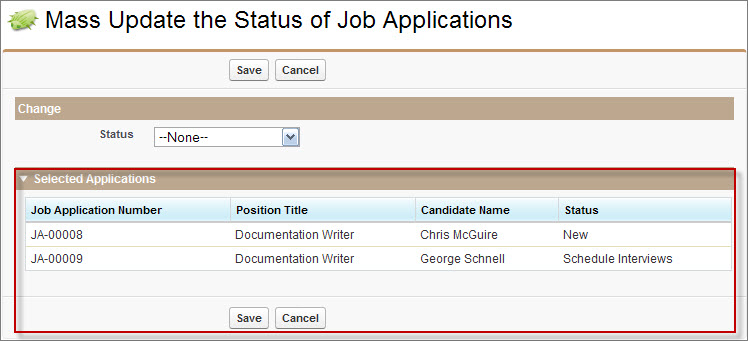
In the Status picklist, choose the new status for the selected records, and click Save. Salesforce updates all of the selected records with the new value.
The feature is a success!