


Lightning Communities Developer Guide
 j
jNewer Version Available
Export a Customized Lightning Bolt Solution
With Lightning Bolt, you can customize and
export the Customer Service (Napili)
template to use as a base for your new communities, or package and distribute the solution for
others to use.
| Available in: Salesforce Classic and Lightning Experience |
| Available in: Enterprise, Performance, Unlimited, and Developer Editions |
| User Permissions Needed | |
|---|---|
| To create, customize, or publish a community: | Create and Set Up Communities AND View Setup and Configuration |
-
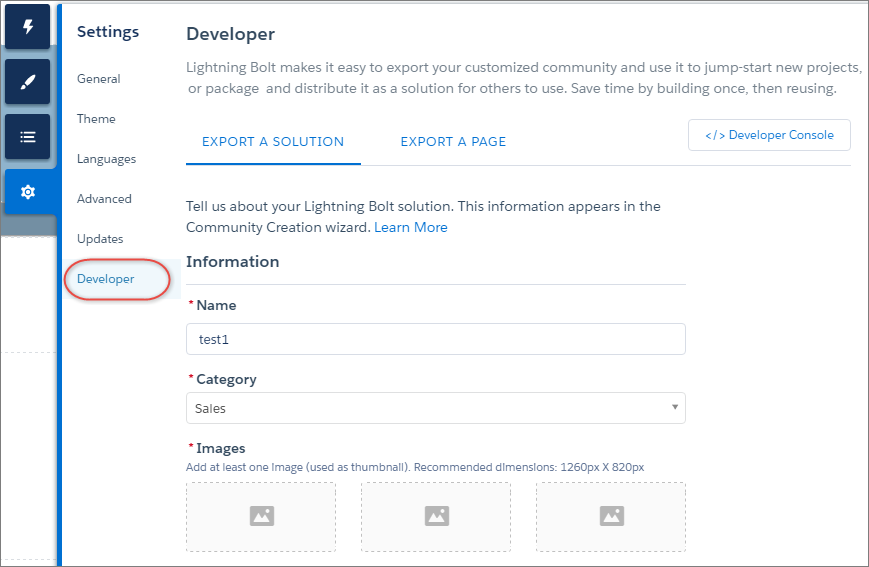
In Community Builder, select .
The information that you add on this page appears in the Community Creation wizard and helps users understand the purpose and benefits of your solution.
-
Add a unique name for the solution, and select a category.
-
Add at least one image to use as the thumbnail image. The recommended image dimensions
are 1260 x 820px.
You can add two more images that appear in the detailed description of the solution.
- Enter a summary that describes the purpose of the solution.
-
Enter at least one key feature.
The feature titles appear under the thumbnail in the Community Creation wizard. The feature descriptions appear in the solution’s detailed description.
-
Click Export.
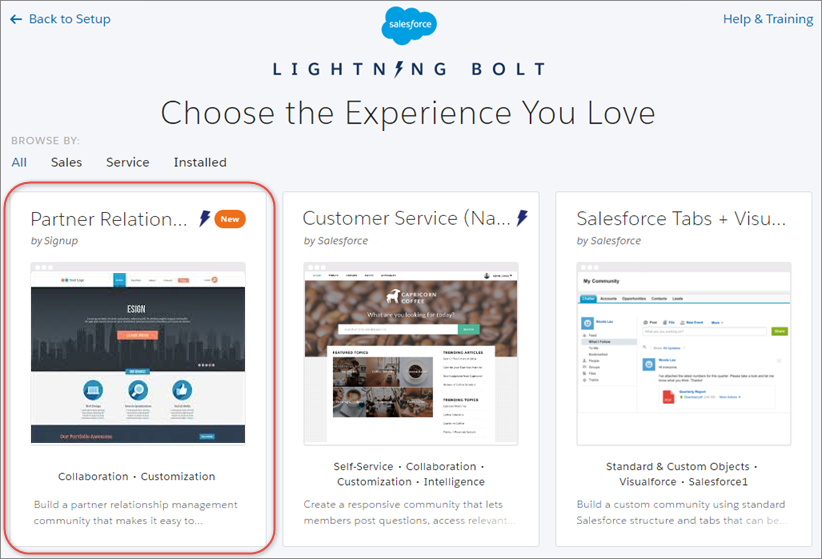
After you export the solution, it appears in the Community Creation wizard in your org. You can then use it as a base for building new communities. If you package the solution and install it in another org, it appears in that org’s Community Creation wizard.
- To distribute the Lightning Bolt solution for others to use, create a managed package.