


Force.com Platform Fundamentals
 j
jNewer Version Available
Custom Objects
Custom objects are the native components that model the data we need to store in our Recruiting app. Similar to a database table, a custom object is composed of several fields that store information such as a job applicant's name, or the maximum salary for a particular position. However, unlike traditional database tables, we don't need to write any SQL in order to create custom objects. We can simply point and click in the platform to create as many objects as we need.
- Position
- Candidate
- Job Application
- Review
- Job Posting
- Employment Website
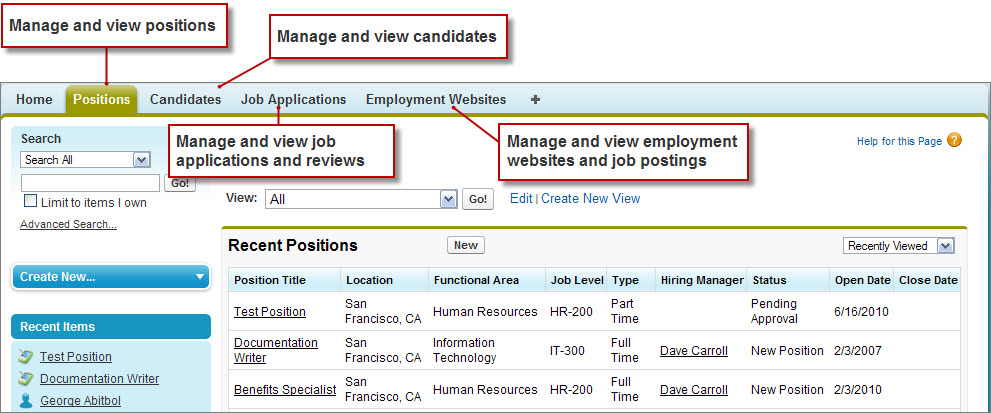
Most of these objects will be displayed as tabs in our application and menu items in Salesforce for Android, iOS, and mobile web. When a user clicks one of the tabs, he or she will have access to individual instances of that particular object, as shown in the following screenshot.
One of the powerful features of a custom object is the fact that it can have relationships with other objects in the system. For example, for every review written by an interviewer and entered into the system, we'll want to associate it with the job application of the candidate who was being interviewed. Again, we won't need to write any SQL to make this happen—thanks to the platform, defining a relationship will be as simple as a few clicks of the mouse.