


Salesforce App Developer Guide
 j
jTest the Visualforce Page
Now you’ll play the part of an Acme Wireless mobile technician and search for nearby warehouses on your device.
- Open Salesforce on your mobile device.
-
Tap
 to access the
navigation menu.
You should see Find Warehouses under the Apps section.
to access the
navigation menu.
You should see Find Warehouses under the Apps section. - Tap Find Warehouses.
-
Click OK when you see a prompt that asks to use your current
location. A map that contains all the nearby warehouse locations within 20 miles appears.
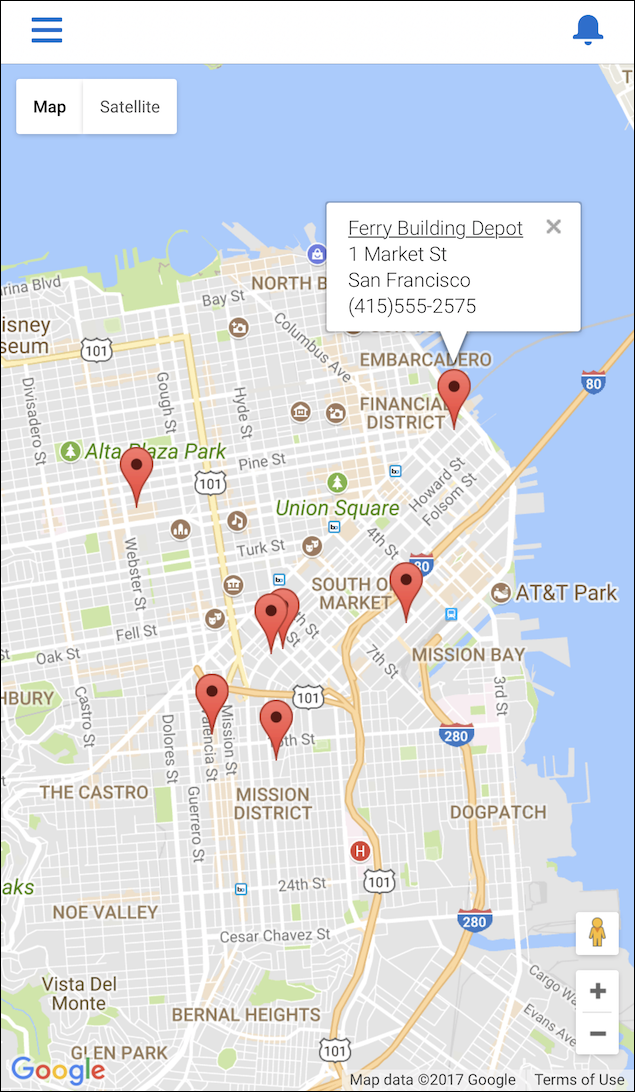 The warehouses in our package sample data are all located in the San Francisco area. If you’re testing this from another location, be sure to add a warehouse located within 20 miles. To add a new warehouse, choose Warehouse from the Force.com app menu, click the Warehouses tab, and then click New in the Recent Warehouses section.
That’s it! You can see how easy it is to make standard pages and tabs available to your mobile users.
For more information about development guidelines for Visualforce pages, see Guidelines and Best Practices.