


Lightning Platform Fundamentals
 j
jLook At What We’ve Done
Now that we’ve created all of our object-specific actions and assigned them to the associated page layouts, let’s make sure they’re working in the Salesforce mobile app.
- Launch the Salesforce app, and log in as Mario Ruiz.
- Open a position record by tapping Positions in the navigation menu and tapping one of your recent positions.
- Tap the New Application action in the action bar.
- Select a candidate, enter text for the cover letter, and then tap Submit.
We didn’t have to specify that the new job application should be related to the position we have open, but the application appears in the position’s Job Applications related list anyway. This is the power of object-specific actions.
A Position’s Related Job Applications
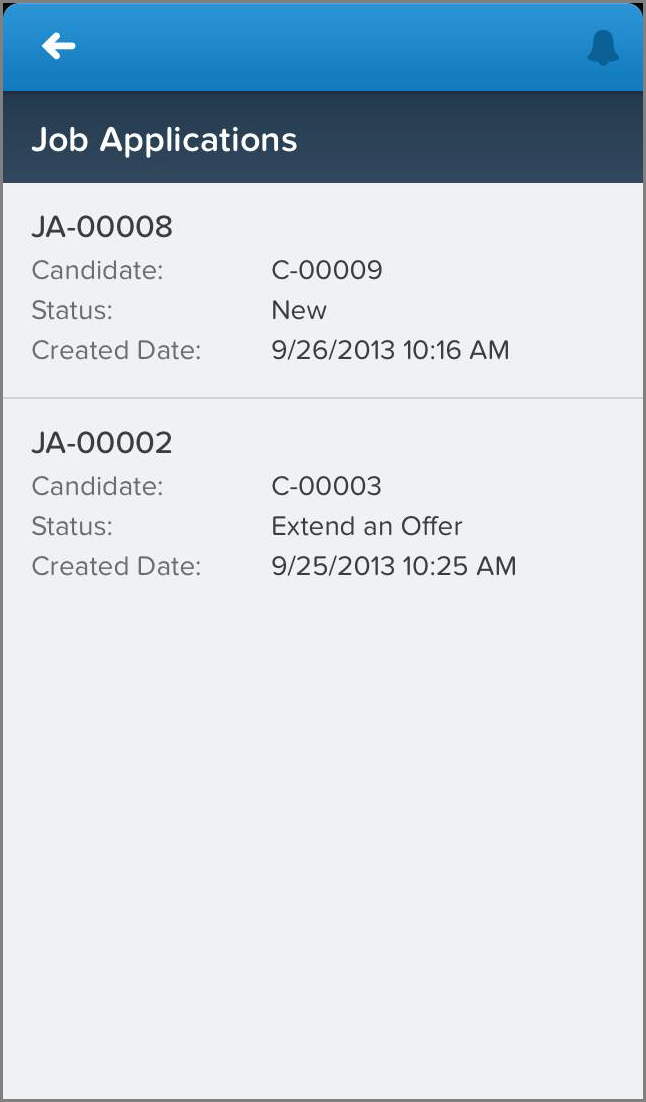
- From the position’s related information page, tap Job Applications to see the items in that related list.
- Tap the related item associated with our new job application to open that record.
- Verify that the predefined field value we set is working as designed: Status should be set to New, even though we didn’t manually select that when we created the record.
Now let’s verify the other object-specific actions. From the action bar or action menu, make sure that:
- From a position record, we can create a new candidate.
- From a position record, we can create a new job posting. The posting is automatically associated with the position.
- From a candidate record, we can create a new job application. The application is automatically associated with the candidate, and its status is New.
- From an employment website record, we can create a new job posting. The posting is automatically associated with the employment website.
- From a job application record, we can create a new review. The review is automatically associated with the job application.