


Lightning Platform Fundamentals
 j
jLook At What We’ve Done
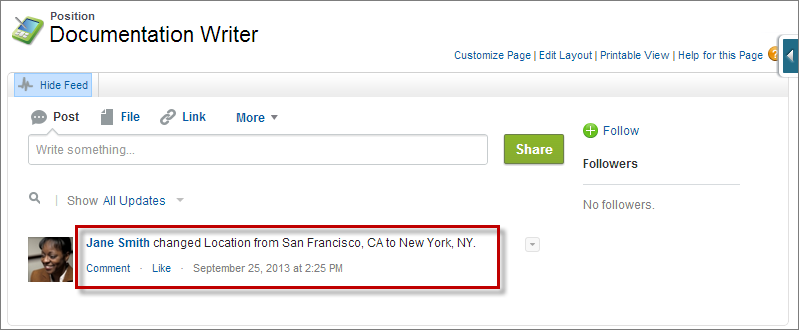
We chose to track updates to the Status and Location
fields on the Position object. If people want to see field updates for a position, they can view
the feed on that record's detail page. For example, when the recruiter helping to staff the
Technical Publications department looks at the Documentation Writer record, she'll see that the
location has changed to San Francisco, CA.
Location Field Update in a Position Record Feed in the Full Site
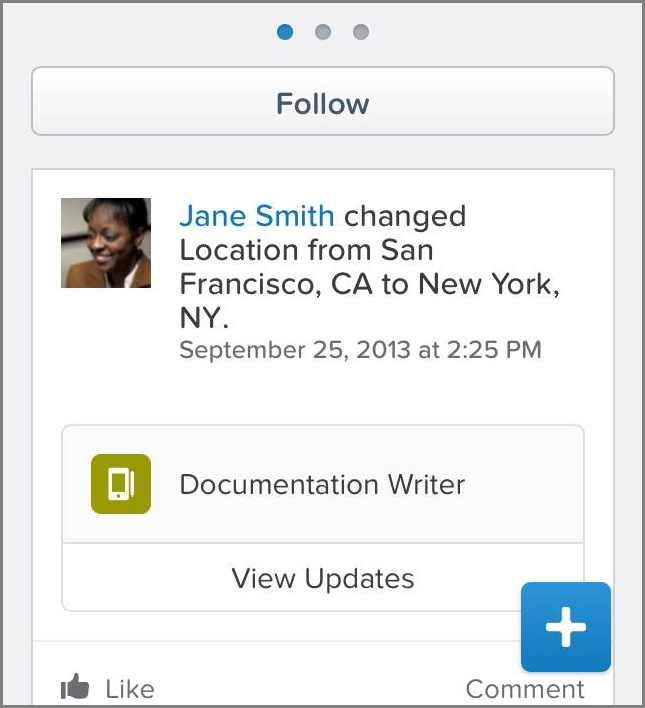
Launch the Salesforce app to see how field updates look on position records in a mobile device. From the navigation menu, tap , and then tap Documentation Writer.
There are now three views, rather than the two we have seen in previous chapters. The new view, which appears first when you open a record, is the record feed. Record feeds appear only if feeds are enabled for the record’s object type. The record feed displays any Chatter field updates for this record—for the fields that we selected when we enabled feeds on the Position object.
Location Field Update in a Position Record Feed
Feed tracking is great, but who wants to keep going to the record detail page to see updates? Next, we'll show how easy it is to follow records, which brings the updates to you.