


Lightning Components Developer Guide
 j
jNewer Version Available
Using the Developer Console
The Developer Console provides tools for developing your components and
applications.
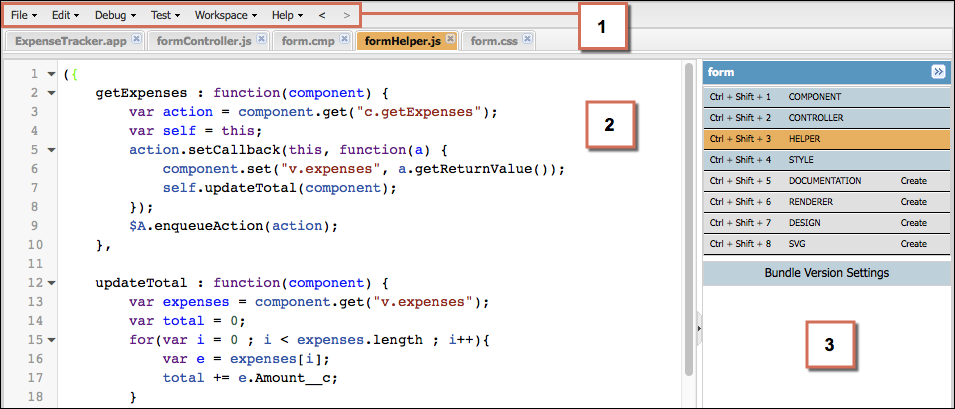
The Developer Console enables you to perform these functions.
- Use the menu bar (1) to create or open these Lightning resources.
- Application
- Component
- Interface
- Event
- Tokens
- Use the workspace (2) to work on your Lightning resources.
- Use the sidebar (3) to create or open client-side resources that are
part of a specific component bundle.
- Controller
- Helper
- Style
- Documentation
- Renderer
- Design
- SVG
For more information on the Developer Console, see The Developer Console User Interface.