


Lightning Components Developer Guide
 j
jNewer Version Available
Install Lightning Testing Service
Use Salesforce DX to Install Lightning Testing Service
Salesforce DX includes a one line command for automatically installing the LTS unmanaged package. The Salesforce DX CLI also allows you to use the sfdx command line tool to perform automated testing as part of your development process, including automated process, such as continuous integration.
- If you haven’t already, enable Dev Hub in your org.
- Install the Salesforce CLI and verify your installation.
- Verify that the Salesforce DX CLI plug-in is updated.
1sfdx update - Log in to your Dev Hub org.
1sfdx force:auth:web:login -d - (Optional but highly recommended) Clone the LightningTestingService Github repo, which contains the sample configuration file and more.
- Create a scratch org. The following command uses the sample configuration file
from the LightningTestingService
repo.
1cd path/to/LightningTestingService
2sfdx force:org:create -s -f config/project-scratch-def.json -a scratch1
To customize your scratch org settings with a company name, email address, and so on, edit the configuration file: /LightningTestingService/config/project-scratch-def.json.
It’s best to perform automated testing in a clean org, created with consistent settings.
- Install the LTS package.
1sfdx force:lightning:test:installThis command installs the latest version of the LTS package into your default SFDX org. See the help for the install command for more options.
After you install Salesforce CLI and LTS, you can run your tests from the command line.
1sfdx force:lightning:test:run -a jasmineTests.app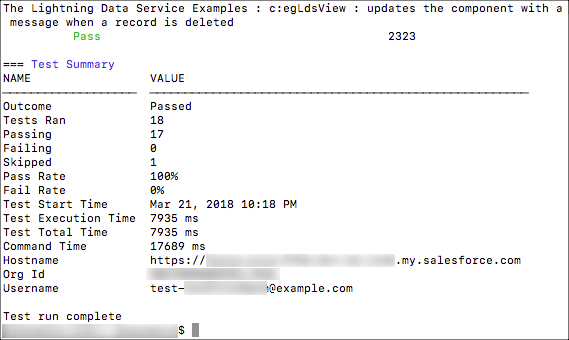
See the command line help for other useful details.
1sfdx force:lightning:test:run --helpInstall Lightning Testing Service as an Unmanaged Package
If you're not using Salesforce DX, you're missing a lot, but you can still use LTS. Installing the LTS package is just like installing any other unmanaged package.
- Log in to your org. We recommend that you use a new DE org for evaluating LTS.
- Go to the project Releases page, and click the package installation URL for the latest release.
- Authenticate again with the credentials for your DE org.
- Follow the normal package installation prompts. We recommend installing the package for admins only.
LTS Package Contents
However you install it, the LTS package includes the following items:
- Example test suites
- Jasmine JavaScript files in archive static resources
- Mocha JavaScript files in archive static resources
- Example components to be tested
- Components, an Apex class, and a custom label
- LTS infrastructure
- Jasmine framework and wrapper
- Mocha framework and wrapper
- LTS test utilities
- Test runner component
- Wrapper test app