


REST API Developer Guide
 j
jNewer Version Available
Delete Event Monitoring Data
You can delete event log files that contain a user’s log data. Deleting log files
helps you comply with data protection and privacy regulations and controls the information
that others can access. You can’t delete individual rows from event logs. Instead, you must
delete the entire log file that contains the user activity.
To delete an event log file, enable deletion in Setup, create a permission set that
includes the Delete Event Monitoring Records user permission, and assign this
permission set to your users. (Alternatively, you can assign the user permission to
a custom profile.) Then those users can query and delete the EventLogFile record by
using Query and Delete resources in REST or delete() in SOAP.
- In Setup, in the Quick Find box, enter Event, and then select Event Monitoring Settings.
-
Enable deletion of event monitoring data. This action is recorded in Setup
Audit Trail.
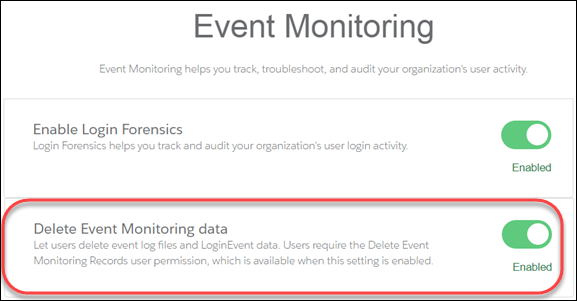 The Delete Event Monitoring Records user permission is now available to assign to a permission set. (Alternatively, you can assign the user permission to a custom profile.)
 - In Setup, in the Quick Find box, enter Permission, and then select Permission Sets.
- Create a permission set that includes the Delete Event Monitoring Records user permission, and save the permission set.
- In Setup, in the Quick Find box, enter users, and then select Users.
- Select the user you want to grant permission to delete event monitoring data.
-
In the Permission Set Assignment section for this user, assign the permission
set, and click Save. This action is recorded in Setup
Audit Trail.
Users assigned this permission set (or any custom profile that includes the Delete Event Monitoring Records user permission) can now delete event monitoring data. The next steps show you how to use the API to delete the data.
- To locate the logs containing the user activity that you want to delete, query the EventLogFile object. For details, see Query Event Monitoring Data with REST.
- Note the IDs of the returned logs.
- Use the SObject Rows resource to delete records. Specify the record ID, and use the DELETE method. For more information, see Delete a Record. Or, you can use Workbench to delete blob format data for event monitoring. In the Execute text box, use a DELETE request similar to /services/data/v50.0/sobjects/EventLogFile/0ATD000000000pyOAA.