Lightning Communities Developer Guide
 j
jNewer Version Available
Step 6: Add Configuration Properties to the Theme Layout
Add an option that lets admins to hide the new search component completely in Experience Builder.
In the theme layout component, add the following
attribute.
1<aura:attribute name="showSearch" type="Boolean" default="true" />In the markup, wrap the entire search column with an aura:if expression. This expression is reactive, so when the attribute gets
updated, the component
rerenders.
1<aura:if isTrue="{!v.showSearch}">
2   <div class="slds-col">
3       {!v.search}
4   </div>
5</aura:if>
Add the design
attribute.
1<design:component label="Condensed Theme Layout">
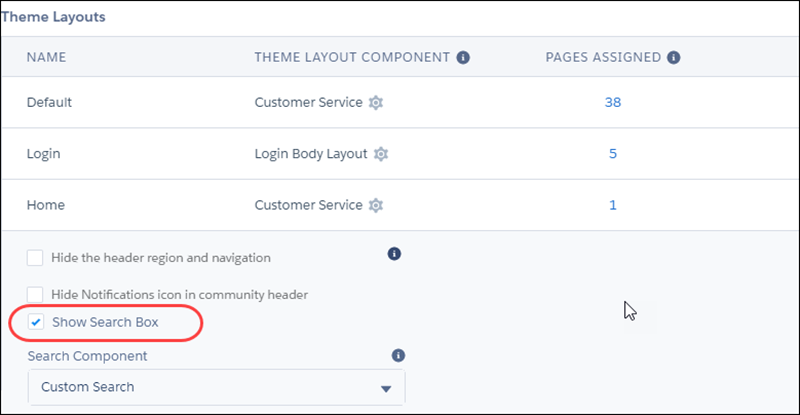
2   <design:attribute name="showSearch" label="Show Search Box" />
3</design:component>
In Experience Builder, when
you edit the Condensed Theme Layout, you now have an option to show or hide the search
component. Deselecting the checkbox causes the page to rerender and hide the search
component.