


Lightning Aura Components Developer Guide
 j
jNewer Version Available
Get Started with Lightning Testing Service
Let’s see LTS in action.
These steps assume you’ve already followed the Install Lightning Testing Service instructions.
- From your project directory, create another scratch org using the configuration file
from the cloned LightningTestingService repo.
1sfdx force:org:create -s -f config/project-scratch-def.json -a scratch1 - Push metadata to the scratch
org.
1sfdx force:source:push - Run
tests.
1sfdx force:org:open -p /c/jasmineTests.app
You see a screen that looks something like the following.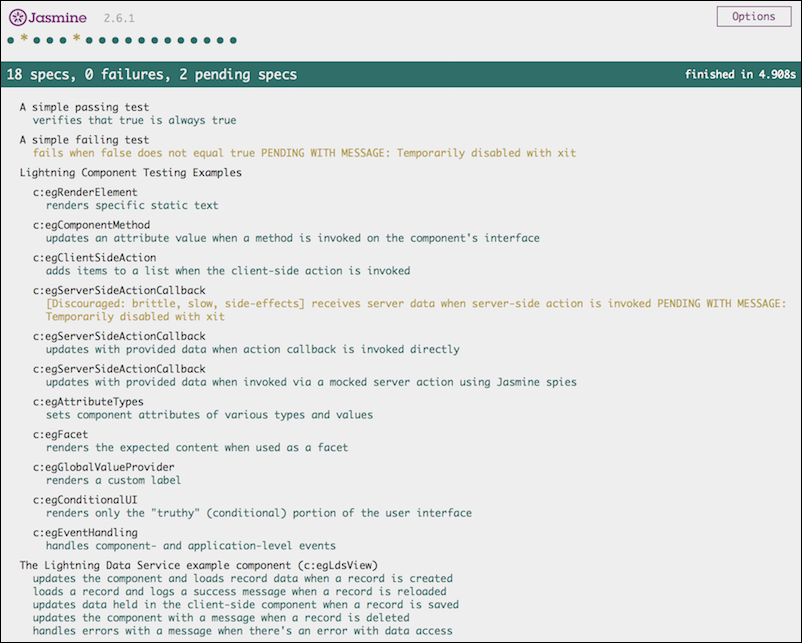
How to Push Data to a Developer Edition Org
Salesforce DX is designed to work with a Dev Hub and scratch orgs. If you have a normal DE org you’d like to work with, the commands are slightly different.
1sfdx auth:web:login -s   # connect to your DE org
2sfdx force:mdapi:convert       # convert metadata for Salesforce DX projects
3sfdx force:mdapi:deploy        # deploy local source to the DE org