Salesforce Health Cloud Developer Guide
 j
jNewer Version Available
User Workflow
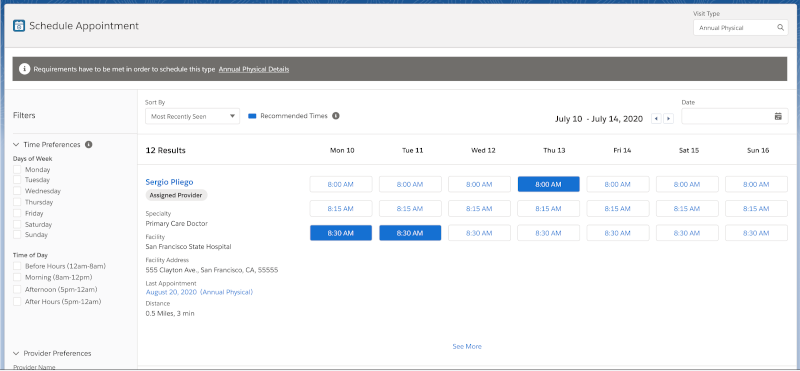
Intelligent Appointment Management enables call center agents and care coordinators to
select visit types, dates, and providers from a facility's EHR system to match a patient's needs.
Booking an appointment in Health Cloud involves these steps by the call center agent:
- Select an appropriate “visit type” for the service the patient needs.
- View a set of available time slots for the resulting practitioners, facilities, date range and visit type.
- Discuss them with the patient and select a time slot.
- Book an appointment for that time slot.
- Handle any rejection of the booking request by the source system.