


Canvas Developer Guide
 j
jNewer Version Available
Enabling Canvas Personal Apps within an Organization
The administrator of an organization controls whether users can install canvas personal
apps within that organization. Before attempting to create a canvas personal app, verify that
the organization administrator has enabled canvas personal apps.
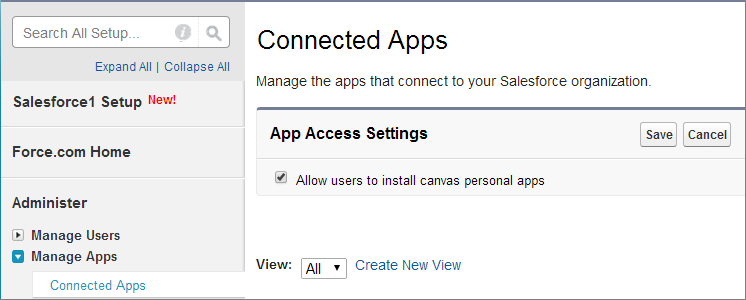
Here’s how the organization administrator enables canvas personal apps.
- From Setup, enter Connected Apps in the Quick Find box, then select the option for managing connected apps.
- Next to App Access Settings, click Edit.
- Select the Allow users to install canvas personal apps
checkbox.
- Click Save.
After the administrator has done these steps, you can designate your canvas app as a canvas personal app. For details, see Making an App a Canvas Personal App.