


Lightning Aura Components Developer Guide
 j
jNewer Version Available
Locker Console Overview
Use Locker Console to check your JavaScript code’s compatibility with
Lightning Locker, and compare how it runs with Lightning Locker enabled and disabled.
Access Locker Console in the Component Library.
Locker Console enables you to quickly evaluate JavaScript code for issues or benchmark code, without requiring you to create an app to test your component. You can evaluate only JavaScript code in Locker Console. You can't evaluate a complete component bundle or component markup.
Here's an overview of the user interface of the Locker Console tool.
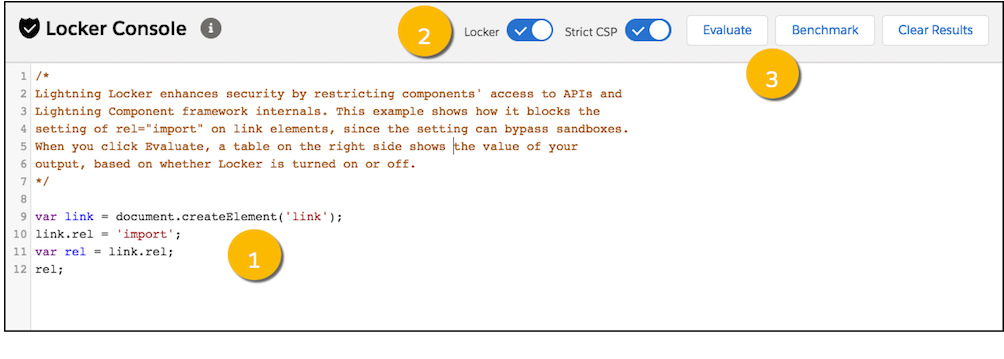
- Code Console (1)
- Paste or type your JavaScript code here to evaluate or benchmark it.
- Toggles (2)
-
- Enable or disable Locker.
- Enable or disable Strict CSP.
- Actions (3)
-
- Click Evaluate to run the code that’s displayed in the code console.
- Click Benchmark to run your code with and without Lightning Locker and view relative performance metrics.
- Click Clear Results to clear all the displayed results.