


Connect REST API Developer Guide
 j
jNewer Version Available
Action Link
Get information about or update the status of an action link. The status of the
action link in combination with the labelKey property of
the Action Link Definition Input determines the text that displays in the UI. To trigger the
API request for Api and ApiAsync action links, set the status to
PendingStatus.
This image shows two action links. In this image, the status of both action links is NewStatus.
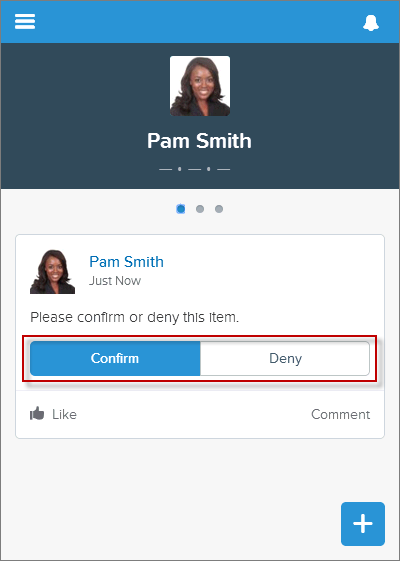
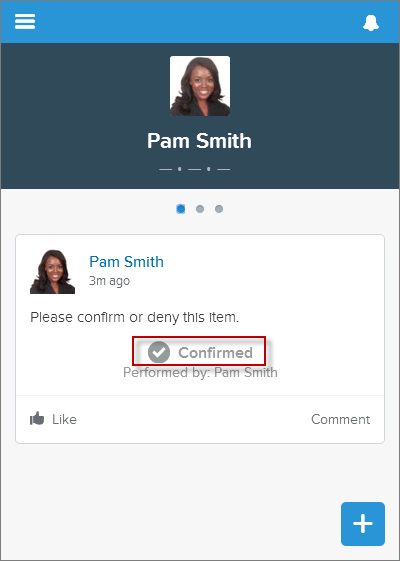
If Pam Smith clicks Confirm, the action link status is set to SuccessfulStatus and results in the feed item shown in this image.
Different types of action links have different status workflows.
- Api
- To invoke an Api action link from an app, make a PATCH request to mark the link PendingStatus. Salesforce handles the call out to the actionUrl that was provided in the Action Link Definition Input. For an Api action link, Salesforce sets the status to SuccessfulStatus or FailedStatus based on the HTTP status code returned by your server.
- ApiAsync
- To invoke this action from an app, make a PATCH request to mark the link PendingStatus. Salesforce handles the call out to the actionUrl that was provided in the Action Link Definition Input. For an ApiAsync action link, the callout starts an asynchronous operation on your server. Salesforce sets status to PendingStatus unless the call returned an error status code, in which case it sets status to FailedStatus. When your server has finished the asynchronous processing it should call back and PATCH the action link to SuccessfulStatus or FailedStatus.
- Download and Ui
- Direct the user to download or visit the UI from the link in the actionUrl of the Platform Action response body. Your application must decide when to make a PATCH request to set status to SuccessfulStatus or FailedStatus.
- Resource
-
1/connect/action-links/actionLinkId1/connect/communities/communityId/action-links/actionLinkId - Available since release
- 33.0
- HTTP methods
- GET, PATCH, HEAD
- Request body for PATCH
-
- Root XML tag
- <actionLink>
- JSON example
-
1{ "status" : "SuccessfulStatus" } - Properties
-
Name Type Description Required or Optional Available Version status String The current status of the action. Values are: - FailedStatus—The action link execution failed.
- NewStatus—The action link is ready to be executed. Available for Download and Ui action links only.
- PendingStatus—The action link is executing. Choosing this value triggers the API call for Api and ApiAsync action links.
- SuccessfulStatus—The action link executed successfully.
Required 33.0
- Request parameters for PATCH
-
Name Type Description Available Version status String Values are: - FailedStatus—The action link execution failed.
- NewStatus—The action link is ready to be executed. Available for Download and Ui action links only.
- PendingStatus—The action link is executing. Choosing this value triggers the API call for Api and ApiAsync action links.
- SuccessfulStatus—The action link executed successfully.
33.0 - Response body for GET or PATCH
- Platform Action
- Example for PATCH
-
1PATCH /connect/action-links/0AnRR0000004CTS0A2?status=FailedStatus