


Apex Developer Guide
 j
jNewer Version Available
Classes and Casting
In general, all type information is available at run time. This means that Apex
enables casting, that is, a data type of one class can be assigned to a data
type of another class, but only if one class is a subclass of the other class. Use casting
when you want to convert an object from one data type to another.
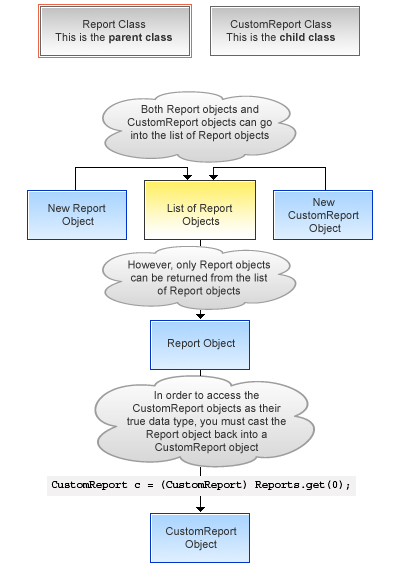
In the following example, CustomReport extends the class Report. Therefore, it is a subclass of that class. This means that you can use casting to assign objects with the parent data type (Report) to the objects of the subclass data type (CustomReport).
1public virtual class Report {
2}1public class CustomReport extends Report {
2}In the following code segment, a custom report object is first added to a list of report objects. Then the custom report object is returned as a report object, which is then cast back into a custom report object.
1...
2  // Create a list of report objects
3  Report[] Reports = new Report[5];
4
5  // Create a custom report object
6  CustomReport a = new CustomReport();
7
8  // Because the custom report is a sub class of the Report class,
9  // you can add the custom report object a to the list of report objects
10  Reports.add(a);
11
12  // The following is not legal:
13  // CustomReport c = Reports.get(0);
14  // because the compiler does not know that what you are
15  // returning is a custom report.
16
17  // You must use cast to tell it that you know what
18  // type you are returning. Instead, get the first item in the list
19  // by casting it back to a custom report object
20  CustomReport c = (CustomReport) Reports.get(0);
21...
Casting Example
In addition, an interface type can be cast to a sub-interface or a class type that implements that interface.