Apex Developer Guide
 j
jNewer Version Available
Exceptions in Apex
There are many ways to handle errors in your code, including using assertions like System.assert calls, or returning error codes or Boolean values, so why use exceptions? The advantage of using exceptions is that they simplify error handling. Exceptions bubble up from the called method to the caller, as many levels as necessary, until a catch statement is found to handle the error. This bubbling up relieves you from writing error-handling code in each of your methods. Also, by using finally statements, you have one place to recover from exceptions, like resetting variables and deleting data.
What Happens When an Exception Occurs?
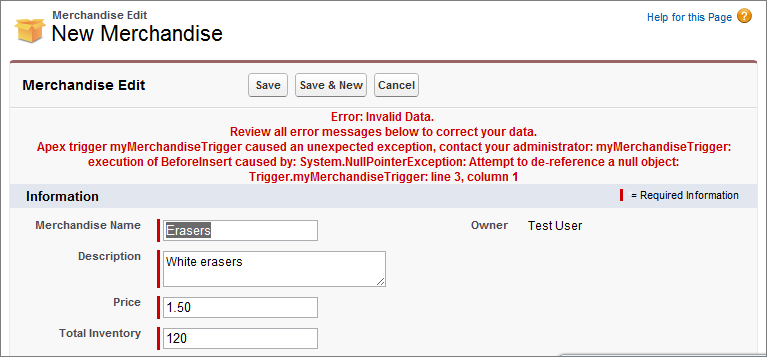
When an exception occurs, code execution halts. Any DML operations that were processed before the exception are rolled back and aren’t committed to the database. Exceptions get logged in debug logs. For unhandled exceptions (exceptions that the code doesn’t catch) Salesforce sends an email that includes the exception information. The end user sees an error message in the Salesforce user interface.
Unhandled Exception Emails
When unhandled Apex exceptions occur, emails sent contain the Apex stack trace, exception message, customer’s org and user ID, org name, and My Domain name. No other data is returned with the report. Unhandled exception emails are sent by default to the developer specified in the LastModifiedBy field on the failing class or trigger. In addition, you can have emails sent to users of your Salesforce org and to arbitrary email addresses. These email recipients can also receive process or flow error emails. To set up these email notifications, from Setup, enter Apex Exception Email in the Quick Find box, then select Apex Exception Email. The entered email addresses then apply to all managed packages in the customer's org. You can also configure Apex exception emails using Tooling API object ApexEmailNotification.