


Field Service Developer Guide
 j
jNewer Version Available
Field Service Core Data Model
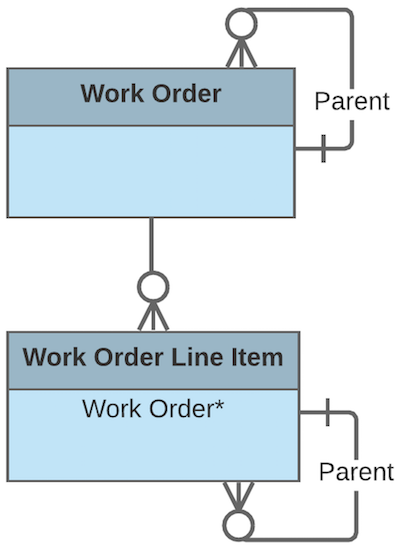
- Assets, to track work performed on a specific asset
- Cases, to indicate that the work is being performed as part of a customer case
- Accounts and contacts, representing the customer
- Entitlements and service contracts, to indicate that the work is being done to fulfill a service-level agreement
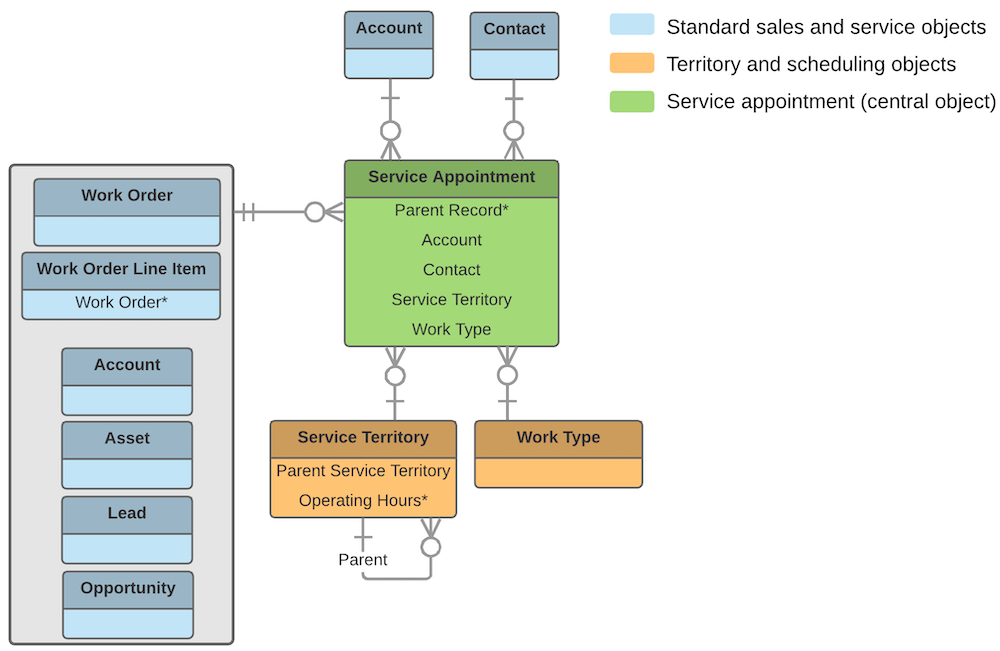
Work orders and service appointments are supported by a variety of objects that control when and where the work occurs, the nature of the work, and who performs it.
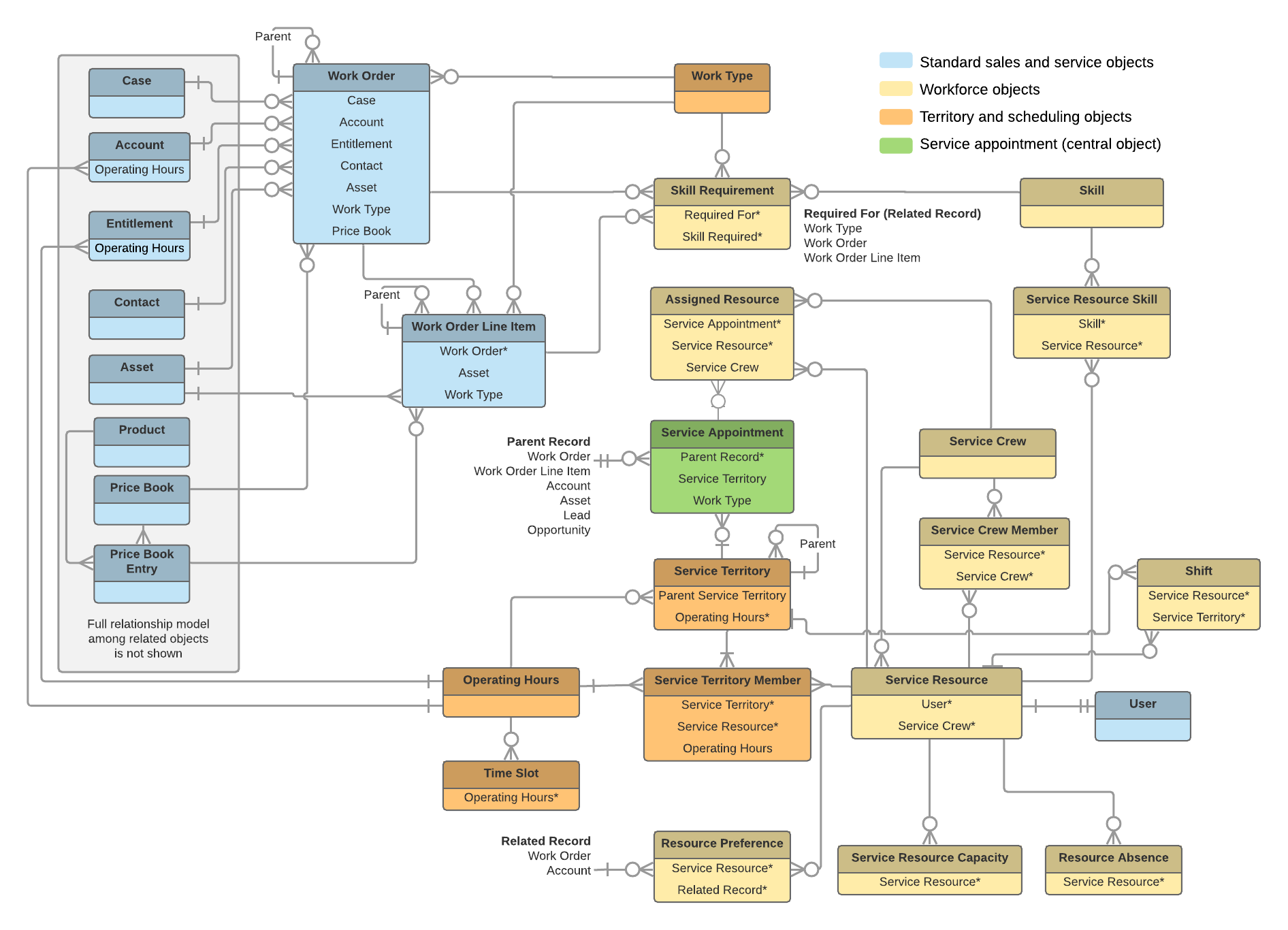
Who Performs the Work
Members of your mobile workforce are represented in Salesforce as service resources. A service resource represents an individual technician who can be assigned to a service appointment. You can also create service crews, which are groups of service resources with complementary skills and experience that can be assigned to appointments as a unit.
To assign a service resource to a service appointment, create an assigned resource record. Assigned resources contain lookups to a service resource and a service appointment. To assign a service crew to an appointment, first create a representative service resource record with a resource type of Crew. Then, create an assigned resource record that looks up to the Crew service resource.
- Service resource skills represent a service resource’s certifications or levels of expertise.
- Resource capacity records track the hourly or job-based capacity of contractors.
- Resource absences represent time when a service resource needs to miss work.
- Resource preferences designate specific service resources as preferred, required, or excluded on a work order or account.
Where the Work Occurs
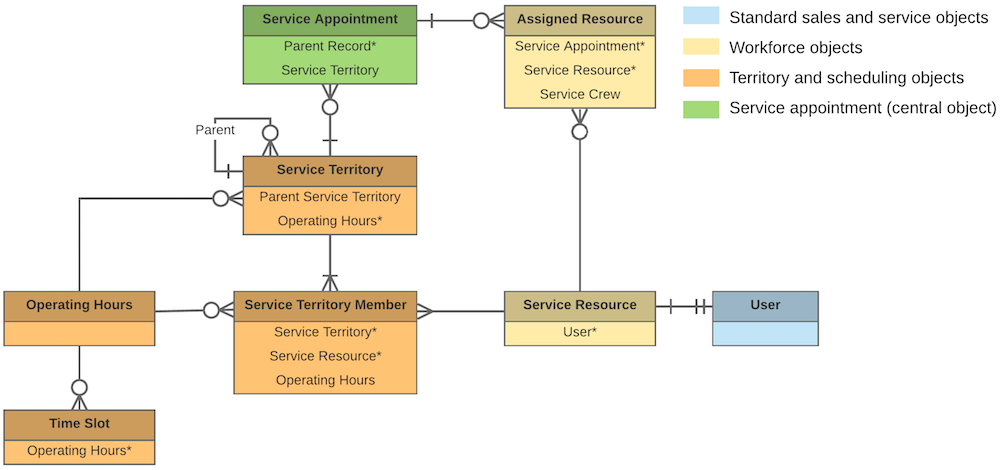
Service territories are the places where your team can perform field service work and are a way to organize your service resources. They typically represent geographic territories such as cities or counties but may also represent functional divisions like sales versus service. A work order can be associated with one service territory. Service resources are assigned to one or more service territories as service territory members to indicate that they are available to work in the territory.
When the Work Occurs
Operating hours indicate when your team can perform field service work. They can be assigned to accounts, service territories, and service territory members. To add detail to operating hours, create time slots, which represent the hours of operation in a particular day.

If a customer entitlement includes terms regarding when the customer has access to field service, you can track these hours on the entitlement using the Operating Hours field (API name: SvcApptBookingWindowsId). For example, if Customer A is entitled to service Monday through Friday from 8 AM to noon, but Customer B is entitled to 24/7 service, you can create operating hours for each customer and assign them to the related entitlement.