


REST API Developer Guide
 j
jNewer Version Available
Create Named Query APIs in Setup
In Setup, you can create a Named Query API, validate its Salesforce Object Query Language (SOQL) query, and get the resulting API endpoint.
| User Permissions Needed | |
|---|---|
| To work with Named Query API: | Allows users to create, read, update and delete Named Query API records |
- From Setup, in the Quick Find box, enter Named Query API, and then select Named Query API.
- Click New Named Query API.
- In Label, give your Named Query API a descriptive name.
-
Accept the suggested API name or enter a different API name.
- Enter the API version. For example, 65.0.
-
Enter a description for the Named Query API.
This description will be used in the OpenAPI document. Provide enough detail to make the Named Query API's purpose clear. If you intend to use the Named Query API as an agent action, AI agents will use it to understand when it’s optimal to select this action.
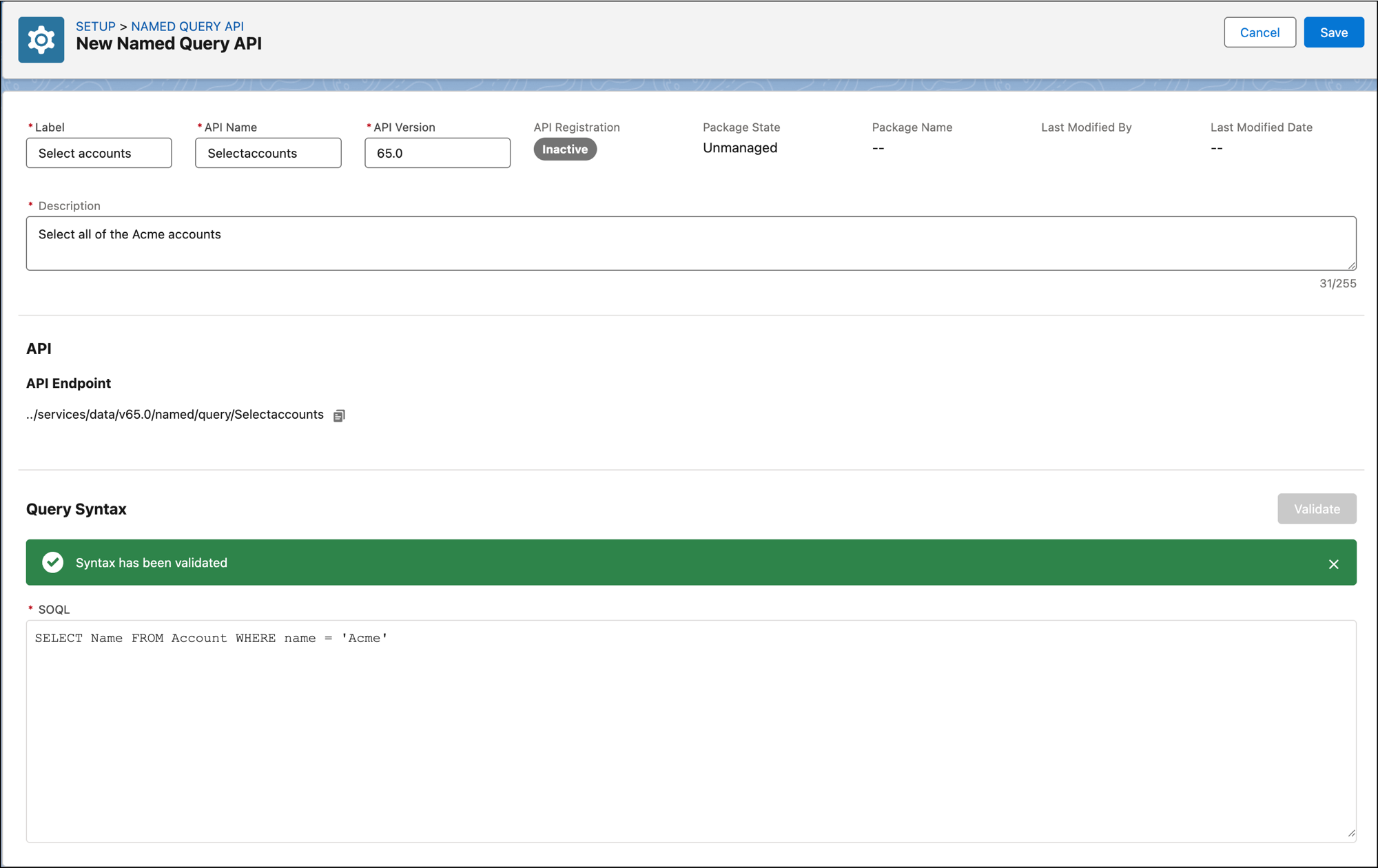
-
Enter a SOQL query that’s valid for the Named Query API.
You can define filter conditions for the query by specifying parameters in a WHERE clause. For example, in SELECT Name FROM Account WHERE name = :name the parameter name = :name specifies a filter condition based on account names.To control the amount of returned data, include a LIMIT clause.The API endpoint is automatically created and displayed. For example, ../services/data/v65.0/named/query/mybigquery?name=<name>.
- Click Validate to validate your SOQL.
-
If the Named Query API creator throws an error, correct the SOQL query and click
Validate again.
See the information on supported SOQL syntax later on this page.
-
Enter a description for any parameters that you created.
If you intend to use the Named Query API as an agent action, provide enough detail for AI agents to understand how to give the parameter with a valid value.
- Click Save.
Named Query API execution logic supports the use of parameters only within certain SOQL language features. In a WHERE clause, use parameters in simple expressions such as name = :name, and with the logical operators AND, OR, NOT. You can also use parameters within parentheses. If a LIMIT clause in the top-level query has a colon parameter, it must be named maxrecords. For example, the clause SELECT Name FROM Account LIMIT :maxrecords is supported.
Parameters aren't supported within these SOQL language features. These features can be used in a Named Query API as long as they don’t contain a parameter reference.
- WHERE clauses:
- Calculated expressions
- DISTANCE expressions
- INCLUDES expressions
- IN expressions
- IN colon expressions
- SELECT DISTANCE(...) expressions
- OFFSET clauses
- WITH clauses