


ISVforce Guide
 j
jSign the Partner Application Distribution Agreement
If your solution uses AppExchange Checkout as its payment management system, you must
read and digitally sign the clickthrough Partner Application Distribution Agreement.
This process assumes that your solution’s listing has been approved.
If your solution uses AppExchange Checkout as its payment management system, follow these instructions.
-
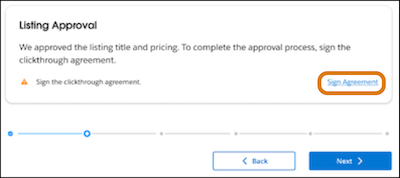
To launch the Partner Application Distribution Agreement (PADA), click Sign
Agreement.
-
Read and complete the PADA.
- Select the checkbox that states that you’re authorized to sign this agreement.
- Select the checkbox that indicates that you accept the agreement.
- To finish digitally signing the agreement, click Agree.