


LWR Sites for Experience Cloud
 j
jCreate Custom Pages in an LWR Site
To create a custom page, open the Pages menu on the top toolbar in Experience Builder. Click New Page at the bottom of the Pages menu. See Create Custom Pages with Experience Builder in Salesforce Help.
Standard Pages
When creating custom pages, the Search standard page is available for the template and supports certain routes and URL parameters.
Object Pages
Because the recommended solutions for record page components use the User Interface API to retrieve data, create object pages only for Supported Objects in the User Interface API Developer Guide.
Login Pages
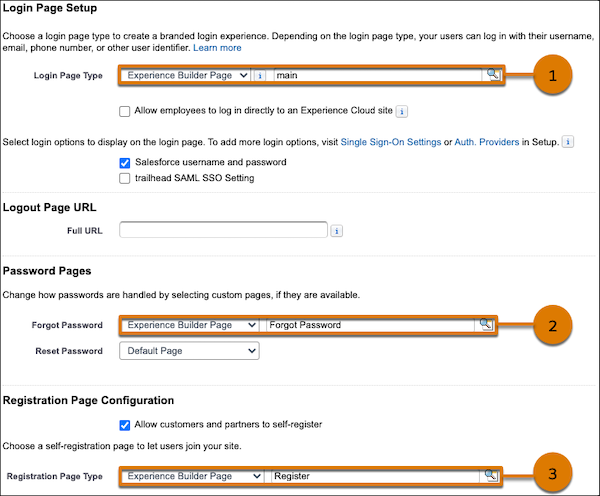
To use the Login, Forgot Password, and Registration pages that come with the LWR templates, ensure that your site is published. In the Login & Registration tab of the Administration workspace, select Experience Builder Page for each page. Enter main for the Login page (1), Forgot Password for the Forgot Password page (2), and Register for the Registration page (3).
Page Access & Authentication
As is the case with Aura sites, we send page metadata to the client for all routes in the site, including for guest user sessions.