Service Cloud Chat Developer Guide
 j
jPost-Chat Code Sample
Test and preview how post-chat pages work for your agents and customers using this code
sample.
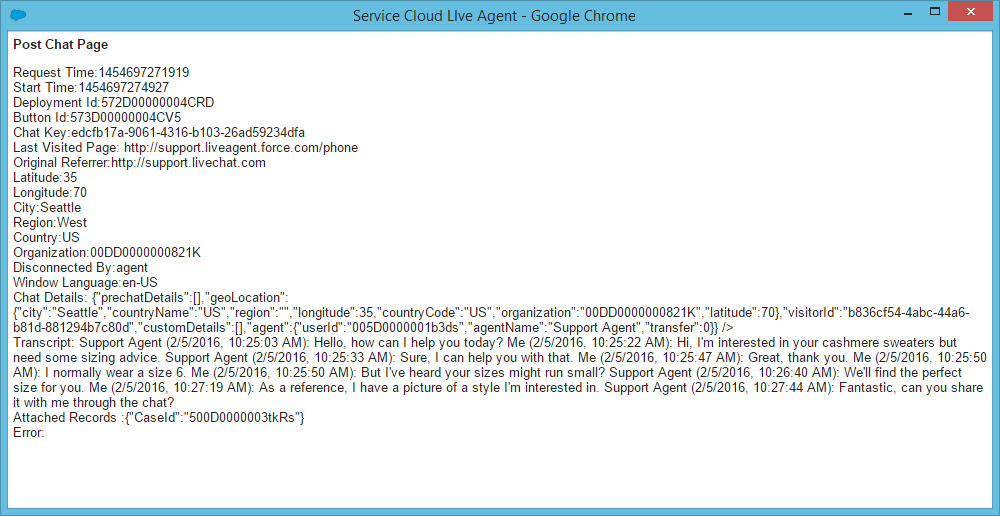
You can customize your post-chat page by including the variables you want to be displayed.
This code sample creates a post-chat page that includes basic information about the chat.
1<apex:page showHeader='false'>
2      <div id='details'>
3      <!-- This will present all the post chat parameters available to this page -->
4            <h1>Post Chat Page</h1>
5            <p>
6            <!-- These variables are passed to the post-chat page and can be used to customize your post-chat experience -->
7                  Request Time:  <apex:outputText id='c_rt' value='{!$CurrentPage.parameters.requestTime}' /><br/>
8                  Start Time:  <apex:outputText id='c_st' value='{!$CurrentPage.parameters.startTime}' /><br/>
9                  Deployment Id: <apex:outputText value='{!$CurrentPage.parameters.deploymentId}' /><br/>
10                  Button Id: <apex:outputText value='{!$CurrentPage.parameters.buttonId}' /><br/>
11                  Chat Key: <apex:outputText value='{!$CurrentPage.parameters.chatKey}' /><br />
12                  Last Visited Page: <apex:outputText value='{!$CurrentPage.parameters.lastVisitedPage}' /><br/>
13                  Original Referrer: <apex:outputText value='{!$CurrentPage.parameters.originalReferrer}' /><br/>
14                  <!-- When the GeoLocation is not available this will appear as Unknown -->
15                  Latitude: <apex:outputText value='{!$CurrentPage.parameters.latitude}' /><br/>
16                  Longitude: <apex:outputText value='{!$CurrentPage.parameters.longitude}' /><br/>
17                  City: <apex:outputText value='{!$CurrentPage.parameters.city}' /><br/>
18                  Region: <apex:outputText value='{!$CurrentPage.parameters.region}' /><br/>
19                  Country: <apex:outputText value='{!$CurrentPage.parameters.country}' /><br/>
20                  <!-- End of GeoLocation information -->
21                  Organization: <apex:outputText value='{!$CurrentPage.parameters.organization}' /><br/>
22                  Disconnected By: <apex:outputText value='{!$CurrentPage.parameters.disconnectedBy}' /><br/>
23                  Window Language: <apex:outputText value='{!$CurrentPage.parameters.windowLanguage}' /><br/>
24                  Chat Details: <apex:outputText value='{!$CurrentPage.parameters.chatDetails}' /><br />
25                  Transcript: <apex:outputText value='{!$CurrentPage.parameters.transcript}' /><br/>
26                  Attached Records : <apex:outputText value='{!$CurrentPage.parameters.attachedRecords}' /><br />
27                  Error: <apex:outputText value='{!$CurrentPage.parameters.error}' /><br />
28            </p>
29      </div>
30      <hr/>
31      <!-- Message to show if chat is abandoned -->
32      <div id='abandoned' style='display: none;'>
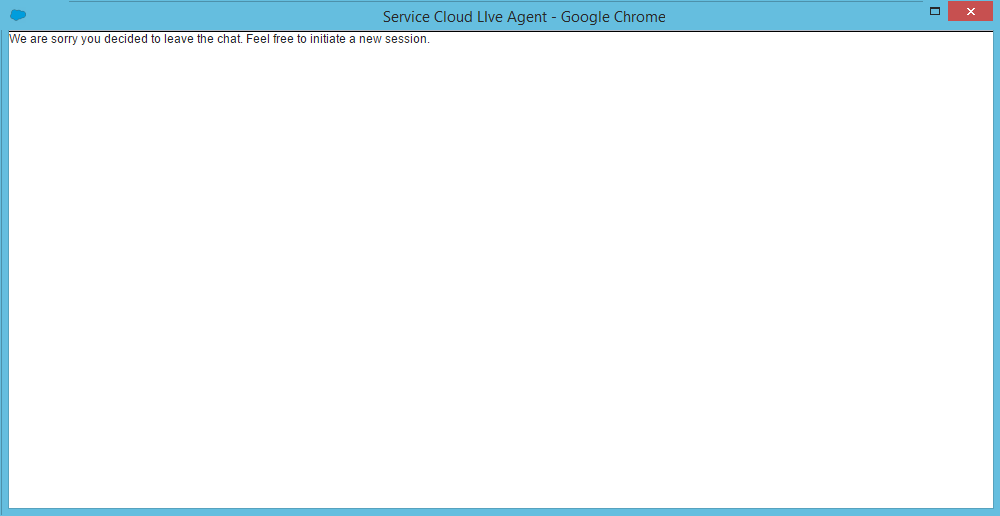
33          We are sorry you decided to leave the chat. Feel free to initiate a new session.
34      </div>
35      <!-- Code to decide if we show the abandoned block or the full data -->
36      <script type='text/javascript'>
37            var requestTime = '{!$CurrentPage.parameters.requestTime}';
38            var startTime = '{!$CurrentPage.parameters.startTime}';
39            // when startTime doesn't have a value, it means the chat never started
40            if (!startTime) {
41                  document.getElementById('details').style.display = 'none';
42                  document.getElementById('abandoned').style.display = 'block';
43            }
44      </script>
45
46</apex:page>
This code results in the following post-chat page for the agent:
This message shows if the chat is abandoned: