


Mobile and Offline Developer Guide
 j
jNote: This release is in preview. Features described here don’t become generally available until the latest general availability date that Salesforce announces for this release. Before then, and where features are noted as beta, pilot, or developer preview, we can’t guarantee general availability within any particular time frame or at all. Make your purchase decisions only on the basis of generally available products and features.
Test Harness Overview
Test Harness is a general purpose development tool for mobile developers working on the Salesforce platform. It has a number of specific, purpose-built tools for inspecting the LWC Offline environment. It also makes it easy to run and inspect custom components under development. Some features look like they duplicate or overlap each other at a high level, but have important differences when you get into the specific behavior. Understanding which tool to use for a given purpose is essential to being successful with the tool.
- 1 — Sidebar menu (”hamburger” icon)
- 2 — Tabs bar
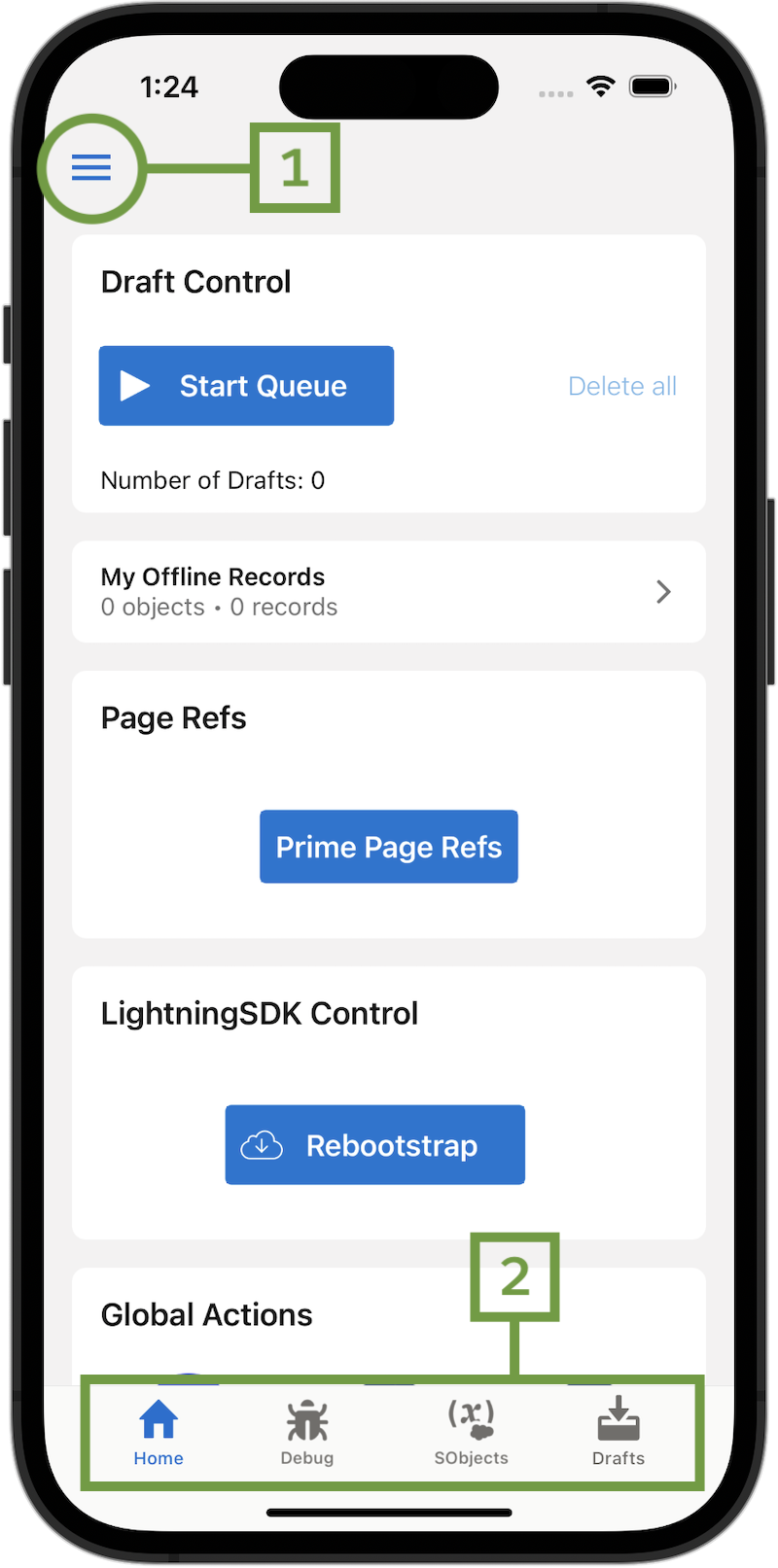
The sidebar menu provides access to a few duplicate or secondary features of Test Harness. Documentation for secondary features is forthcoming.
The tabs bar along the bottom of the app’s user interface provides access to the primary features of Test Harness.